

Secure web
Your Apple II talks to real HTTPS APIs directly. The card runs the whole TLS handshake and verifies the certificate; the host only ever sees plaintext.
Desk-verifiedCo-Processor for the Apple II
Your Apple II has come a long way: accelerators, storage by the gigabyte, RAM disks, and sharp modern video. The one thing none of it can fix is the modern web, locked behind TLS that no 6502 or 65816 can reasonably run.
CoGS is the key. A single slot card that does the impossible parts on the card: TLS, HTTPS, JSON, true random, and hardware hashing, handing your Apple II plaintext. The machine stays in charge of everything else. It is still your Apple. It can just finally talk to the world.
And the network is a disk library
Drop the card in a slot, power on, and its own config ROM comes up. You join Wi-Fi, browse a catalog of over 500 disk images right on the machine (Total Replay rides along with 400+ more 8-bit titles), and hit Return. Your Apple boots it, streaming over the internet, block by block, with nothing installed and no local storage at all.
From power-on to running essentially any published Apple II app ever written is about one minute: boot, join Wi-Fi, browse, Return — and it RUNS. One card, any Apple II: the same board drops into a slot in the ][+, the //e, or the IIGS.
Ethernet/Wi-Fi/TLS/SHA‑256/TRNG/Clock/Network disk
]PRINT "HELLO (MODERN) WORLD!"
HELLO (MODERN) WORLD!
]█
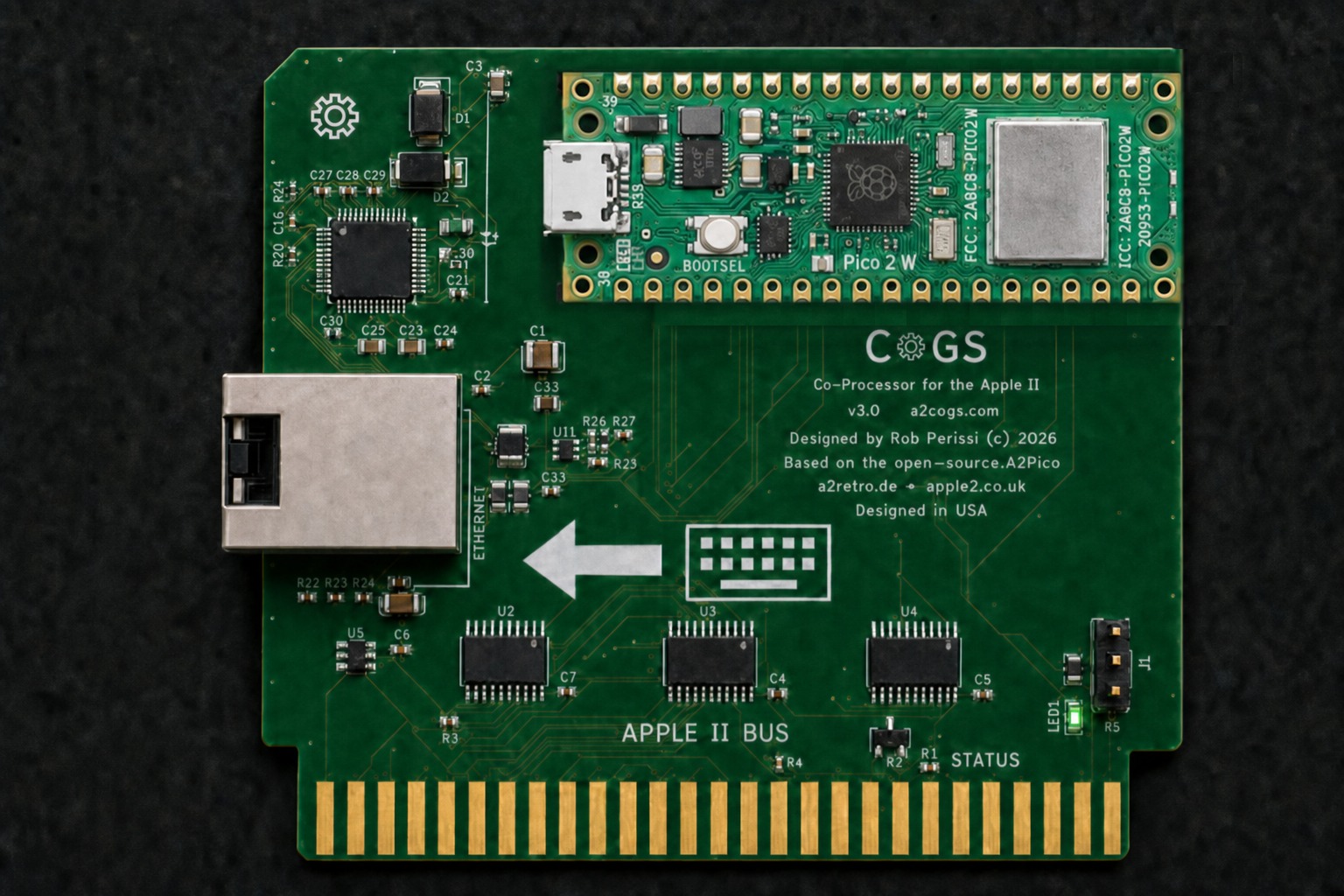
CoGS Rev 3.0 Prototype Rendering
Power on, browse 515 boot-tested disks from the card's own ROM, hit Return — it runs. Or try the live index right here.
The gap
Already solved on the Apple II
Each upgrade follows one quiet rule: more capable, still itself.
The part still missing
The modern secure internet, in a slot.
Every useful API is HTTPS now: certificate chains, key exchange, X.509 parsing, a handshake state machine — then JSON on top. That is not a “needs more megahertz” problem; it is months of fragile cryptography with no business on a 1 MHz to 2.8 MHz CPU. It has been solved before, and solved well: purpose-built hardware has terminated TLS on the device for vintage machines for years, and offloading the hard cryptography is exactly the right call.
CoGS makes that offload a slot-native co-processor — purpose-built for the Apple II bus, with the speed, low latency, and on-card co-processing only a slot makes possible.
What it does
Every service is a job the host genuinely cannot do, or would be absurd to ask of it. Everything else stays on the Apple II.
Your Apple II talks to real HTTPS APIs directly. The card runs the whole TLS handshake and verifies the certificate; the host only ever sees plaintext.
Desk-verifiedAsk for choices[0].message.content and the card returns just that value out of a whole API response. A 64 KB machine never touches a parser.
Real entropy from hardware silicon. No Apple II ever shipped with a hardware RNG. Now yours has one.
Desk-verifiedSingle and double SHA‑256 in dedicated silicon, for the cost of a few register writes. Checked byte-for-byte against the reference.
Desk-verifiedHand the card a block header once; it grinds nonces locally at roughly 2400× a stock GS and returns the winner. Your GS keeps running the protocol and the UI.
Desk-verifiedWi-Fi out of the box, with wired RJ45 on the custom card coming soon — plug and play. In bridge mode your Apple II gets its own IP and is a real host on the LAN, so Marinetti and IP65 software just works, now with co-processing behind it, carrying your Apple into the 21st century.
Bridge verified on real hardwareGive the card a link to a disk image — on your own network or anywhere on the internet — and the Apple II sees a real drive: it boots from it, reads it, and writes it back. No driver installed on the host, nothing on a local card. The card speaks SmartPort and ProDOS block right out of ROM.
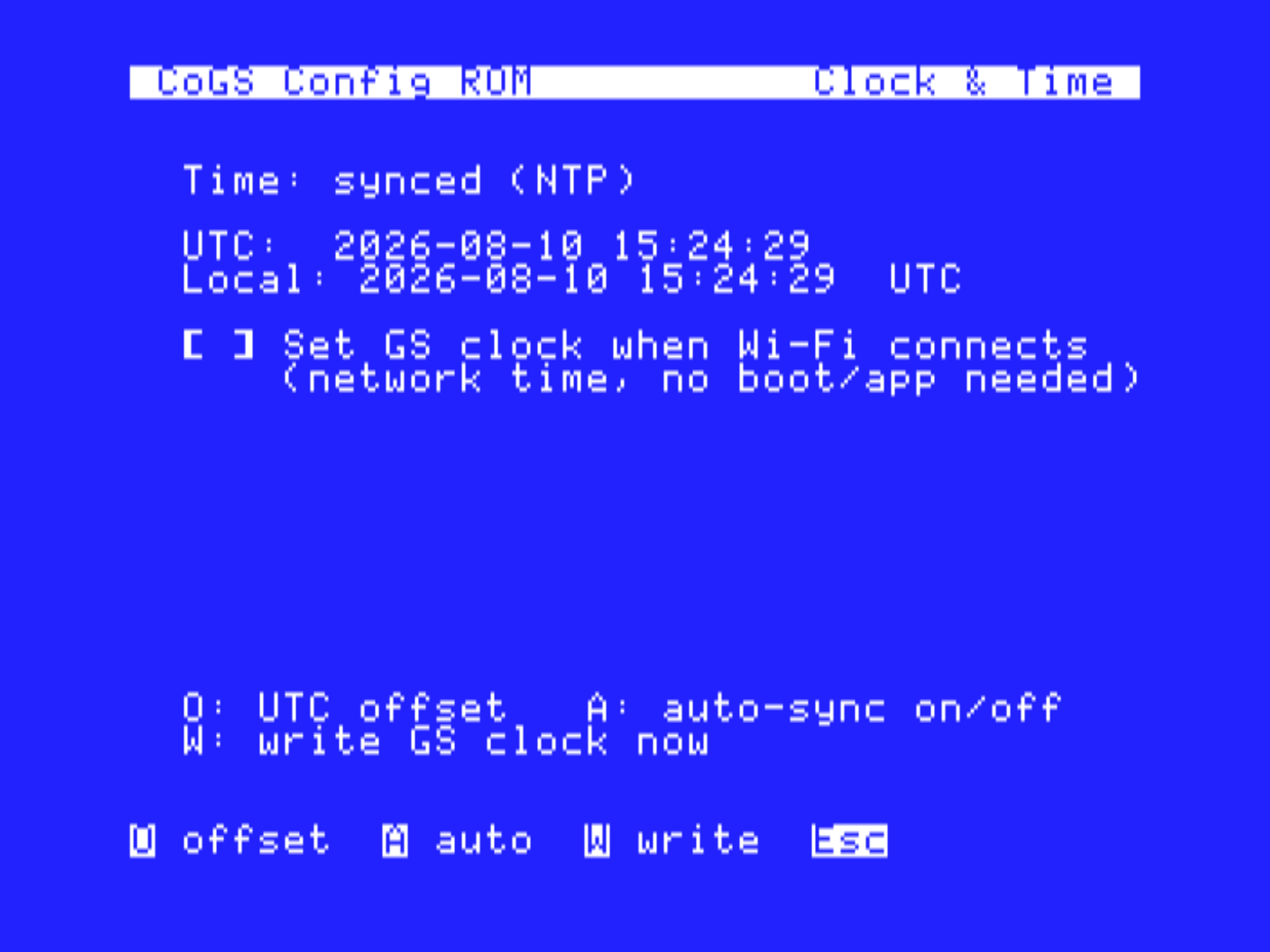
Streaming on real hardwareThe card runs NTP for secure time anyway, so it can set your machine's clock. For everyone whose No-Slot Clock battery died decades ago.
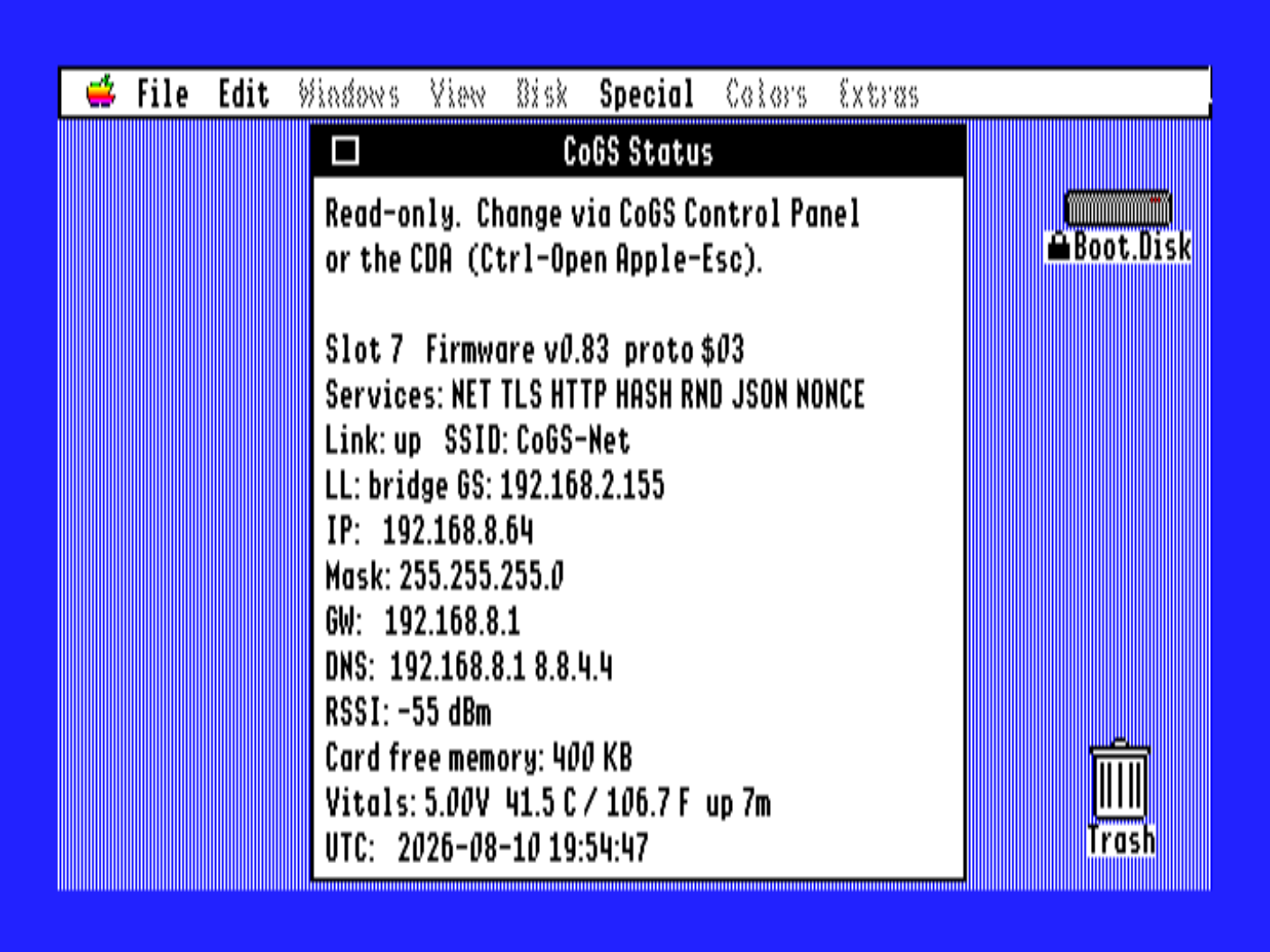
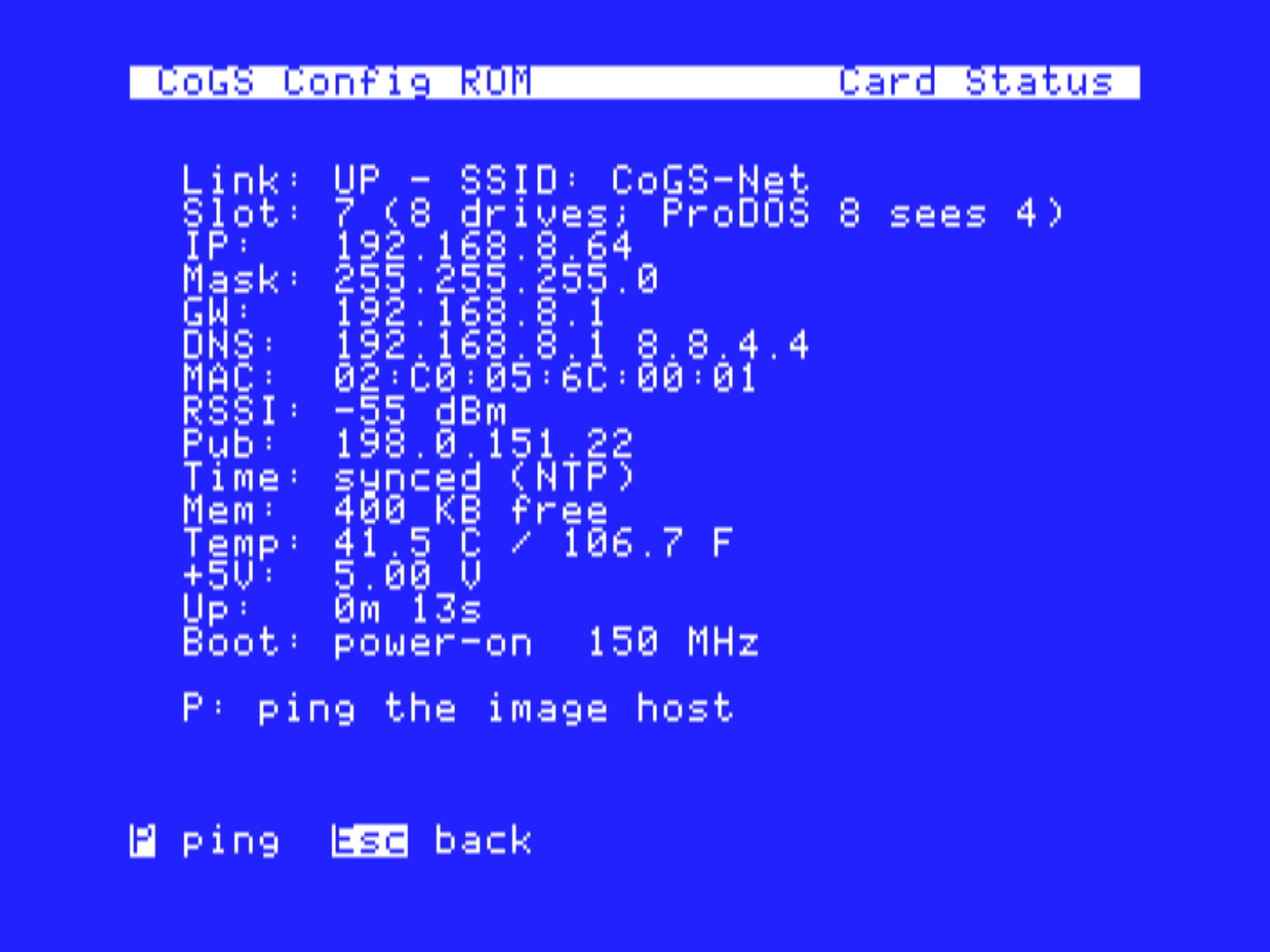
Time syncedThe card reports its own health: on-chip temperature, the slot's +5V rail (a free read on your host power supply), uptime, a unique serial, and why it last booted. It answers even with Wi-Fi down, and shows up live in the desktop control panels.
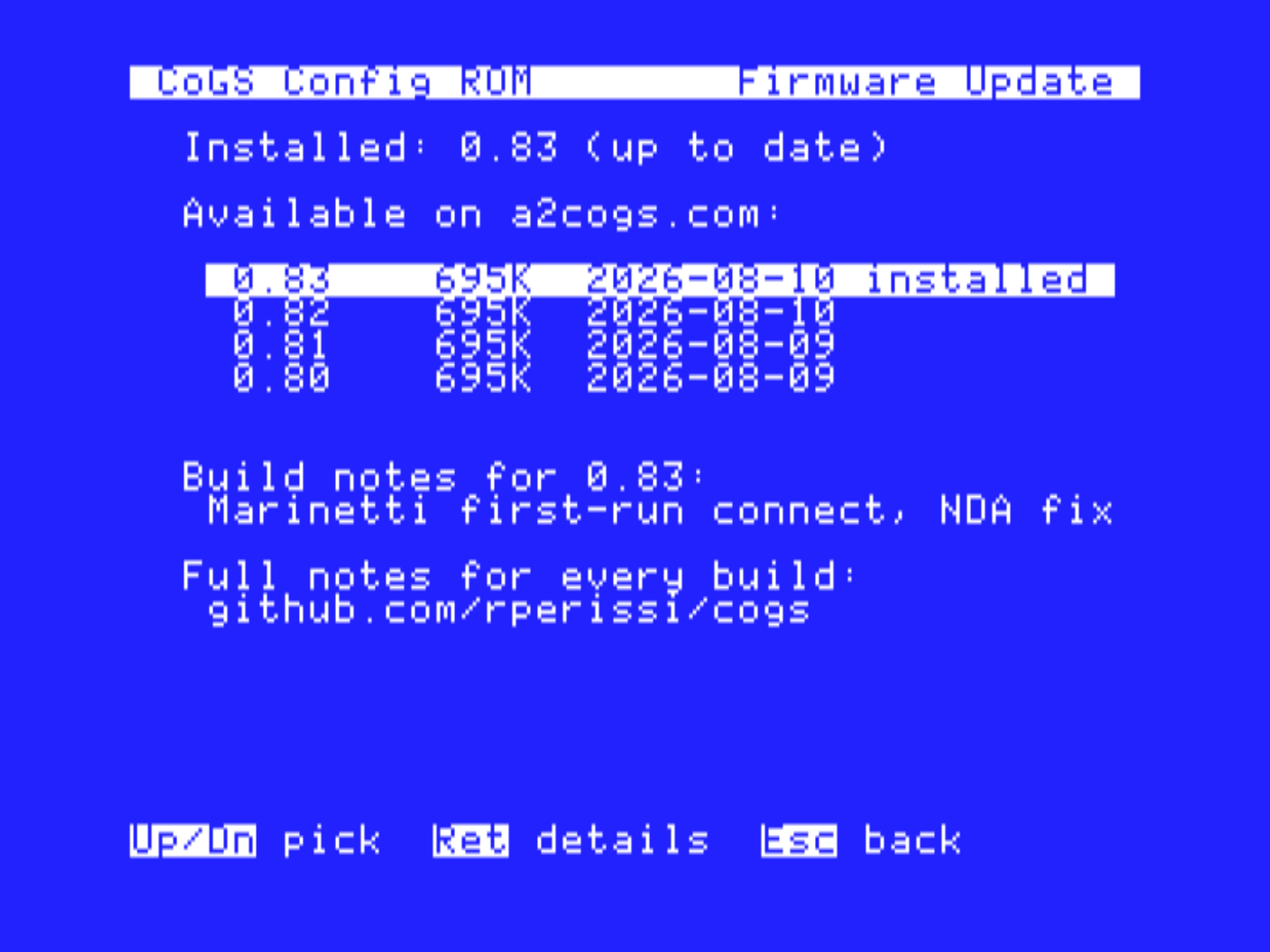
WorkingAbout / Update checks a2cogs.com right from the machine, lists releases with dates and build notes, and the card downloads, verifies, and flashes the one you pick. No cable, no other computer, ever.
New in firmware 0.73+Native to the machine
Hardware is only half of it. CoGS is built to disappear into the Apple II you already know — configured from the desktop, and wired into the network stack the community already uses.
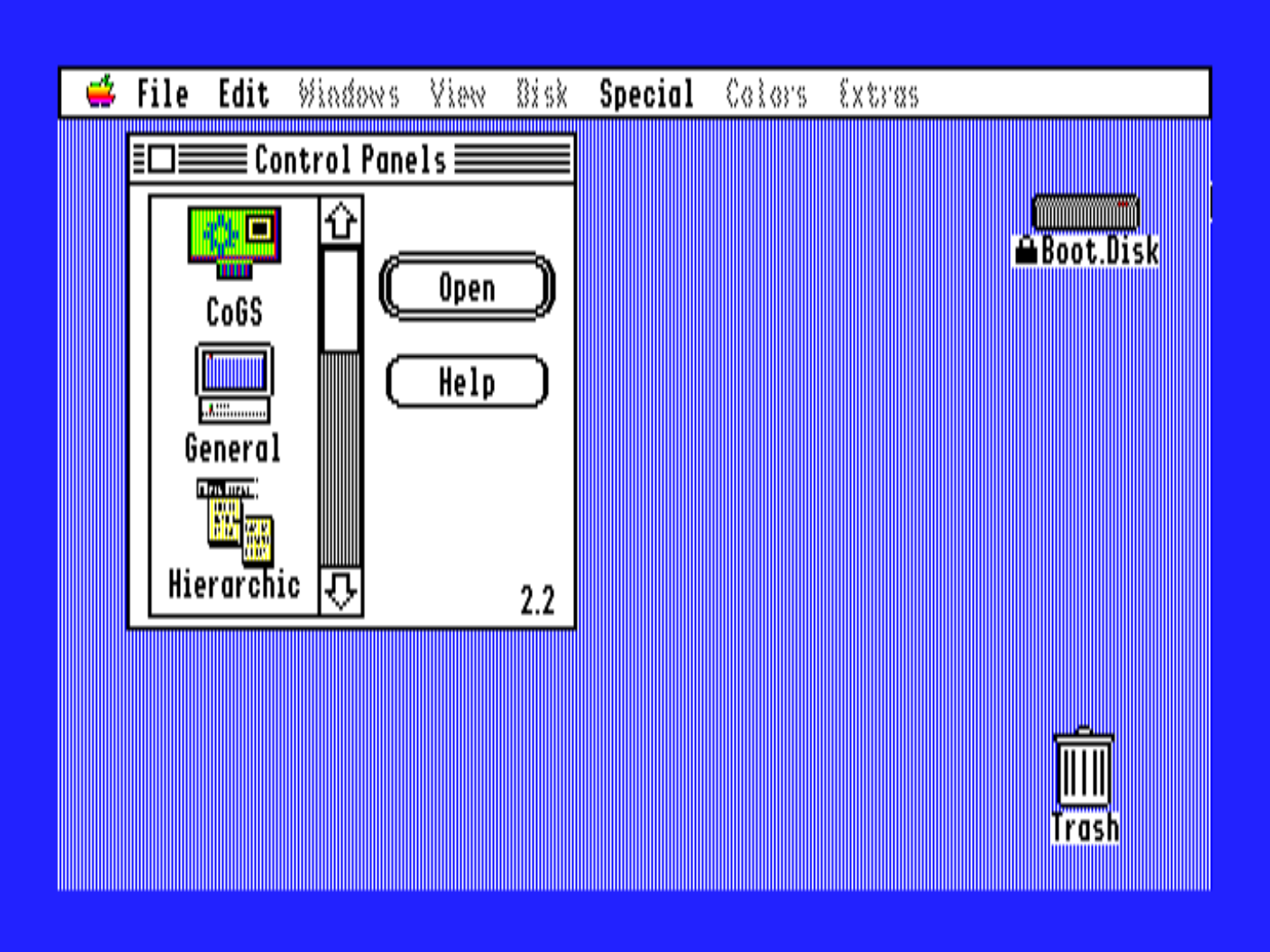
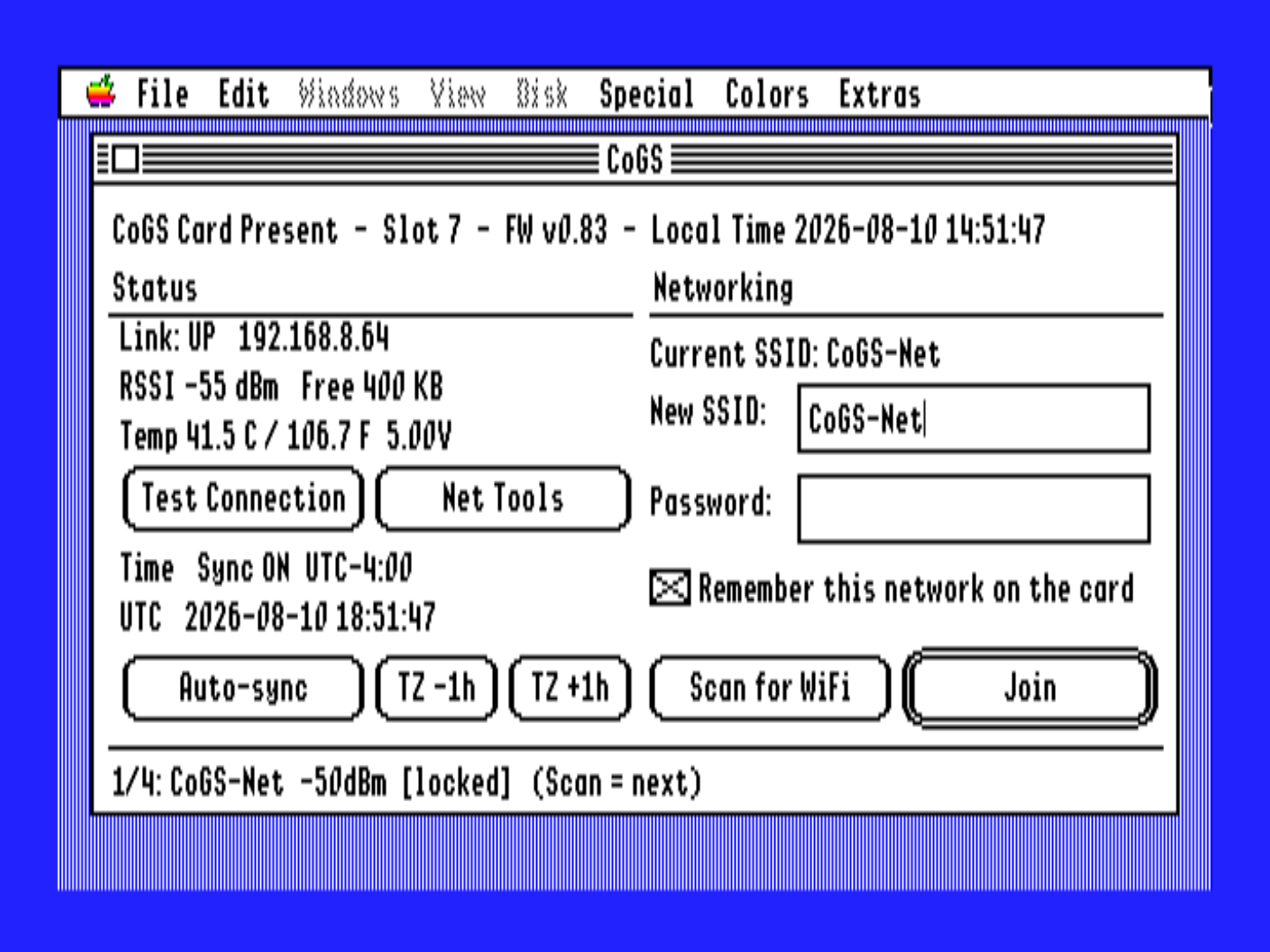
Set up and watch the card right from the machine, no serial cable and no guesswork. One on-card configuration, three faces, so a change in one shows up in the others — in whichever place suits the moment:
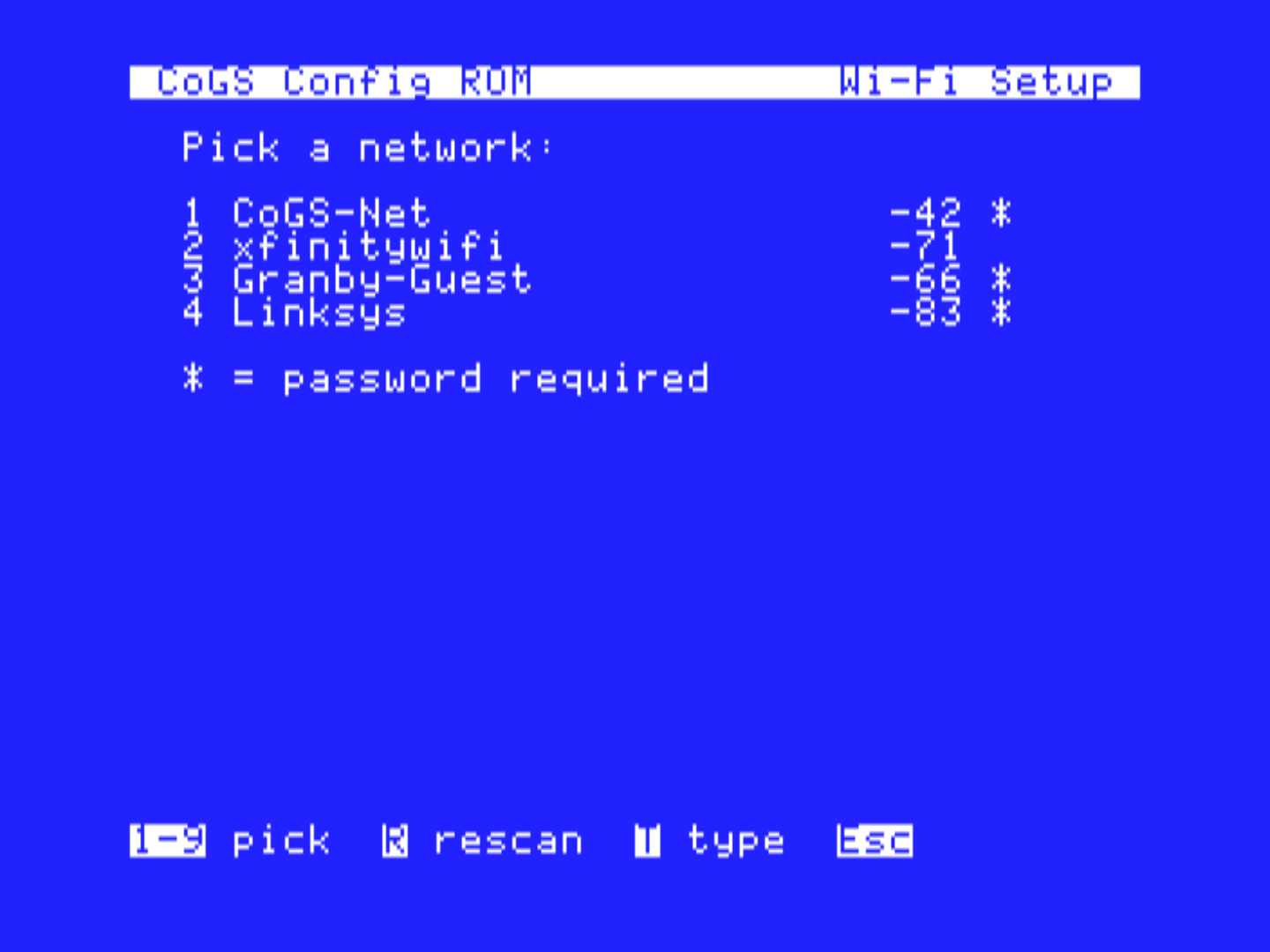
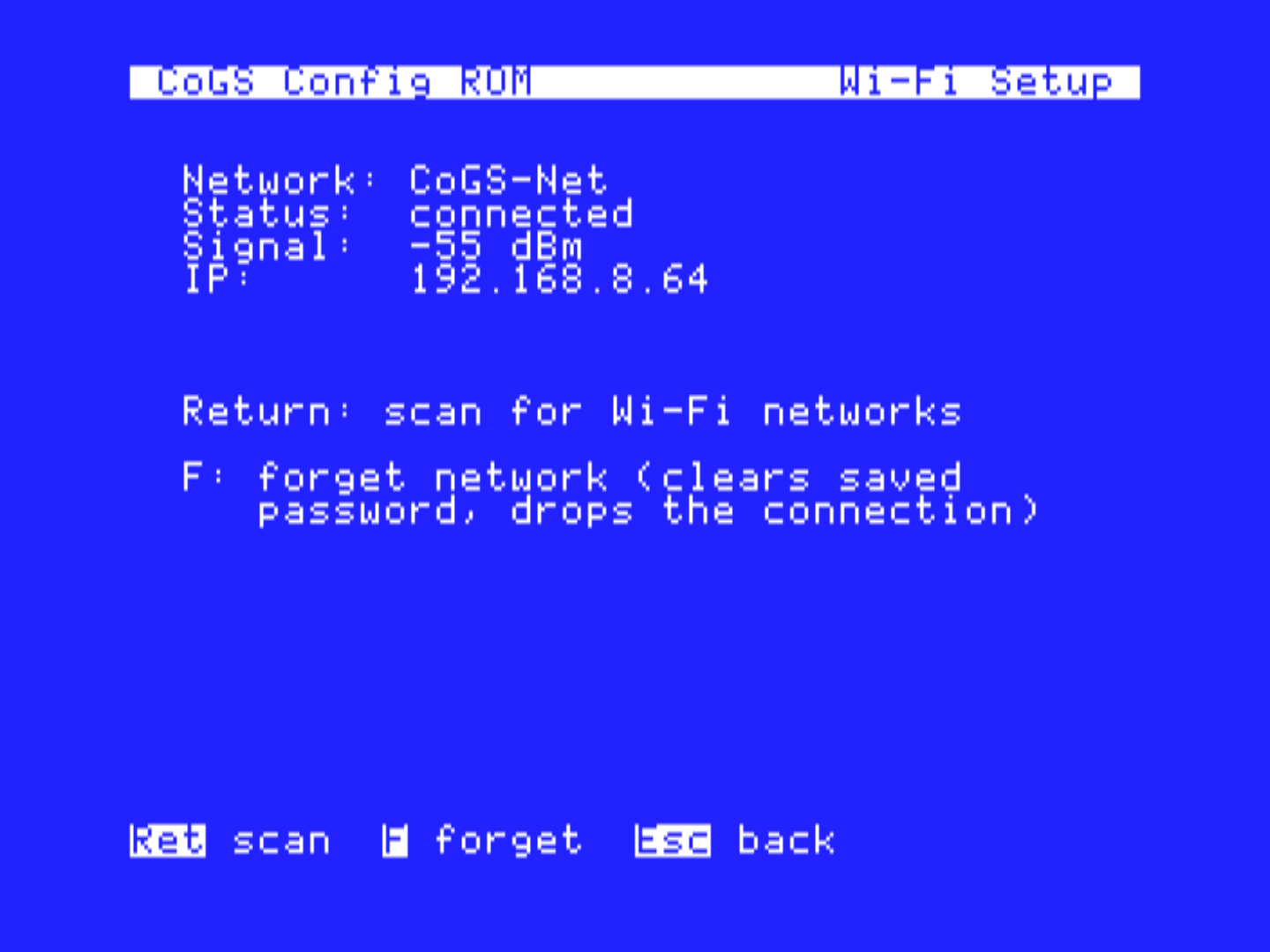
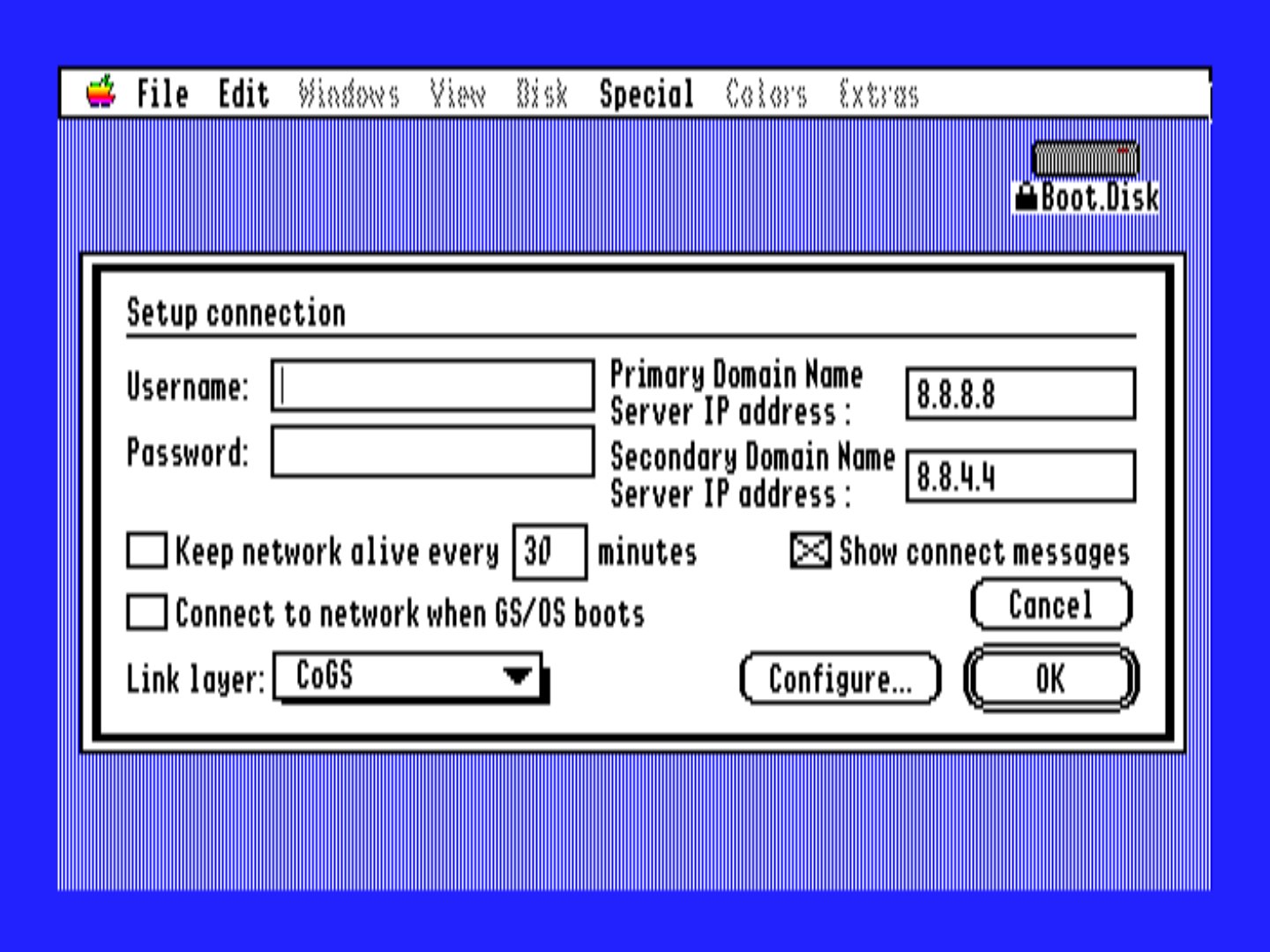
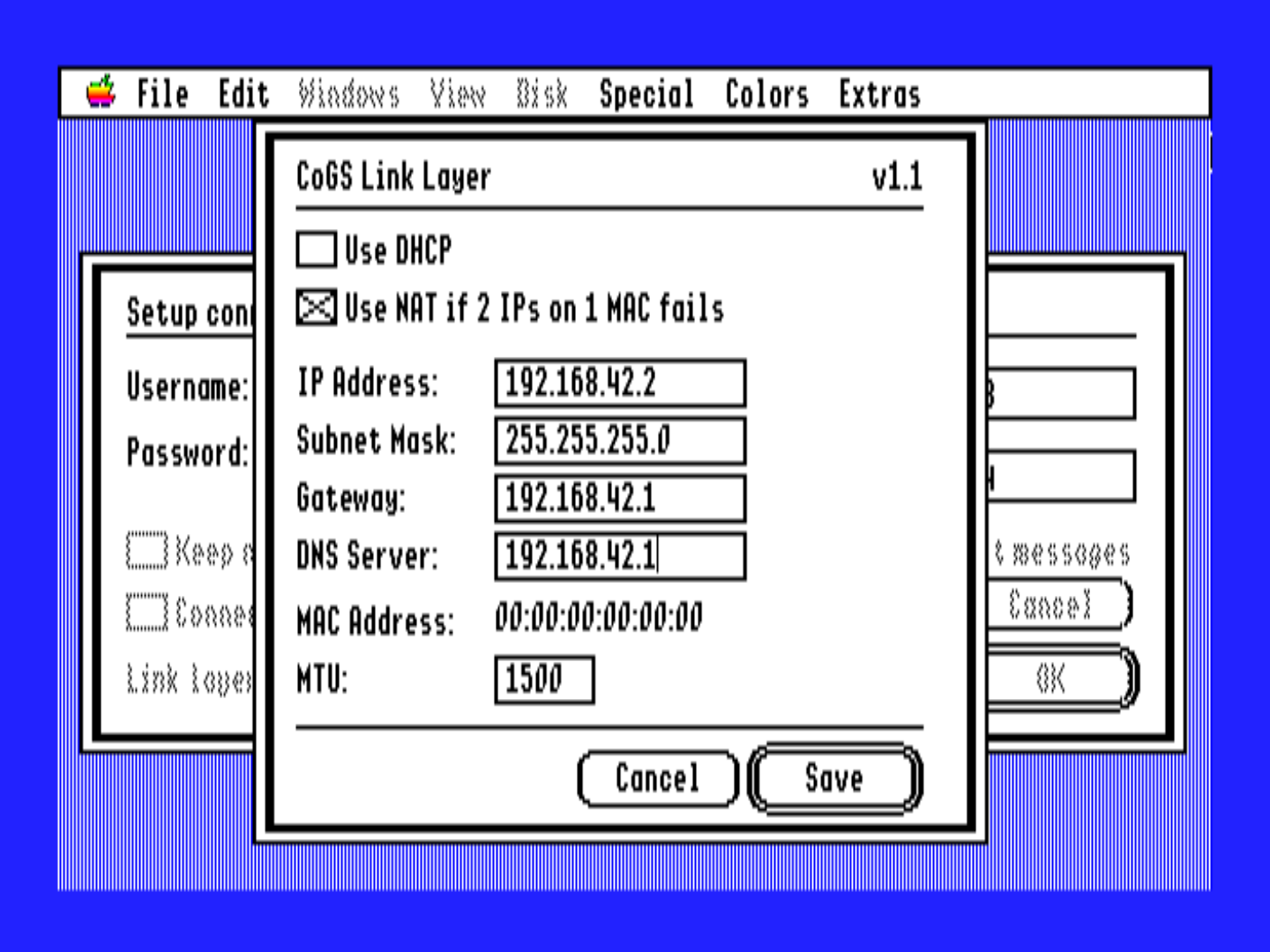
A native link-layer driver so the whole Marinetti TCP/IP ecosystem runs over CoGS. In bridge mode the GS gets its own IP and is a first-class host on your LAN (you can ping it from your Mac), so existing Marinetti apps — mail, web, IRC — run unchanged. Verified on real hardware, with a NAT mode for networks that need it.
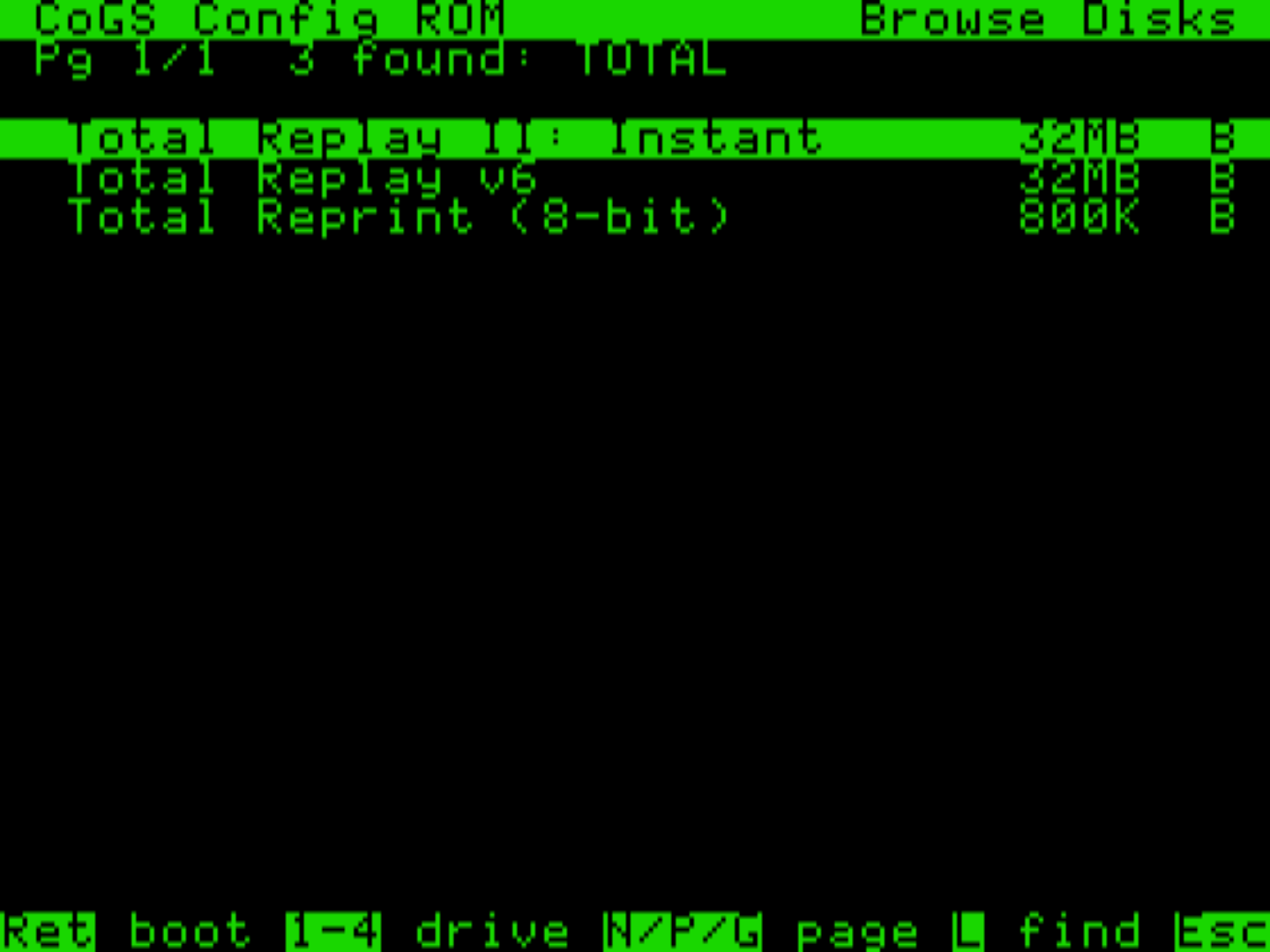
A slot is a slot. The same card on the same open A2Pico carrier runs in the ][+, the //e, and the IIGS. And the config ROM means the 8-bit machines get the full experience with nothing installed: power on a //e, join Wi-Fi, type TOTAL into the whole-corpus search, and boot Total Replay streaming from its GitHub release, 400+ arcade titles one Return away. The cc65 / ProDOS 8 client covers the co-processor services (DNS, TCP, and a TLS 1.2 HTTPS handshake on the card) for software that wants them.
Plug in and go
CoGS does not just fetch data — it serves whole disks. Give it a link to a disk image, on your own network or anywhere on the internet, and your Apple sees a real drive: it boots from it, runs from it, and writes back to it, with nothing installed on the machine.
That makes CoGS the first true plug-and-play Apple II experience. Seat the card, power on, and you are browsing and booting a 500+ image library with no OS, no boot disk, no setup software, and nothing to configure beyond your Wi-Fi password. From power-on to running is literally about one minute: boot, join Wi-Fi, browse, hit Return — and essentially every published Apple II app ever written is yours to run, streaming over Wi-Fi. For the daily workflow, share a folder of images off your Mac and the card mounts it read/write over the LAN. The days of shuffling floppies, burning CF cards, and clunky transfer utilities are over.
The card answers SmartPort and ProDOS block calls straight out of its ROM, so the drive is there the moment the machine powers on — the trick the community loves from cards like the CFFA, now coming off the network instead of a local chip. That link can point at a folder shared off your own Mac or at a file out on the web: the card does DNS, TCP, and TLS itself, so an https:// URL mounts exactly like a LAN one. You browse and mount images from the desktop, and the host never knows the disk lives on a server.
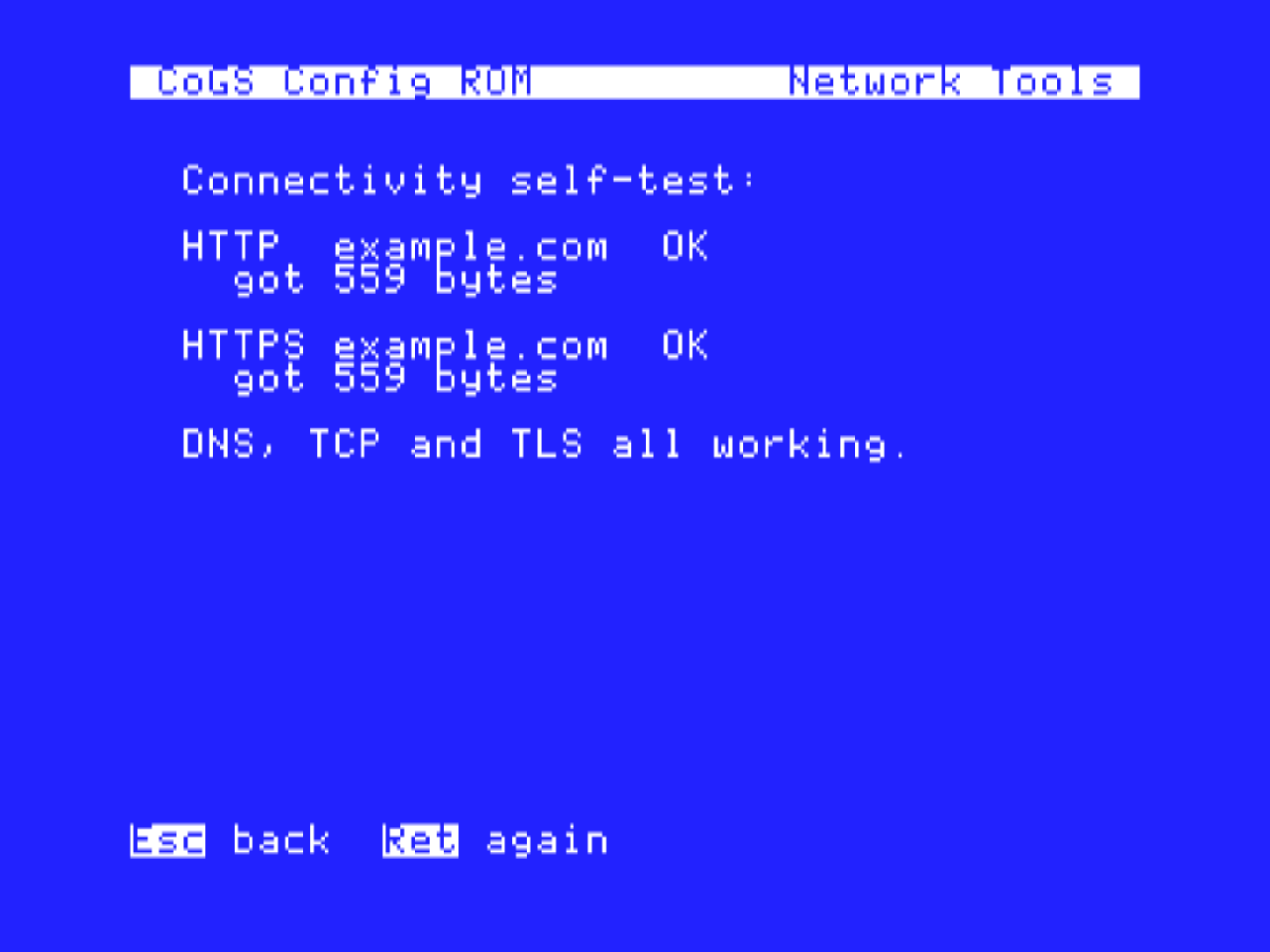
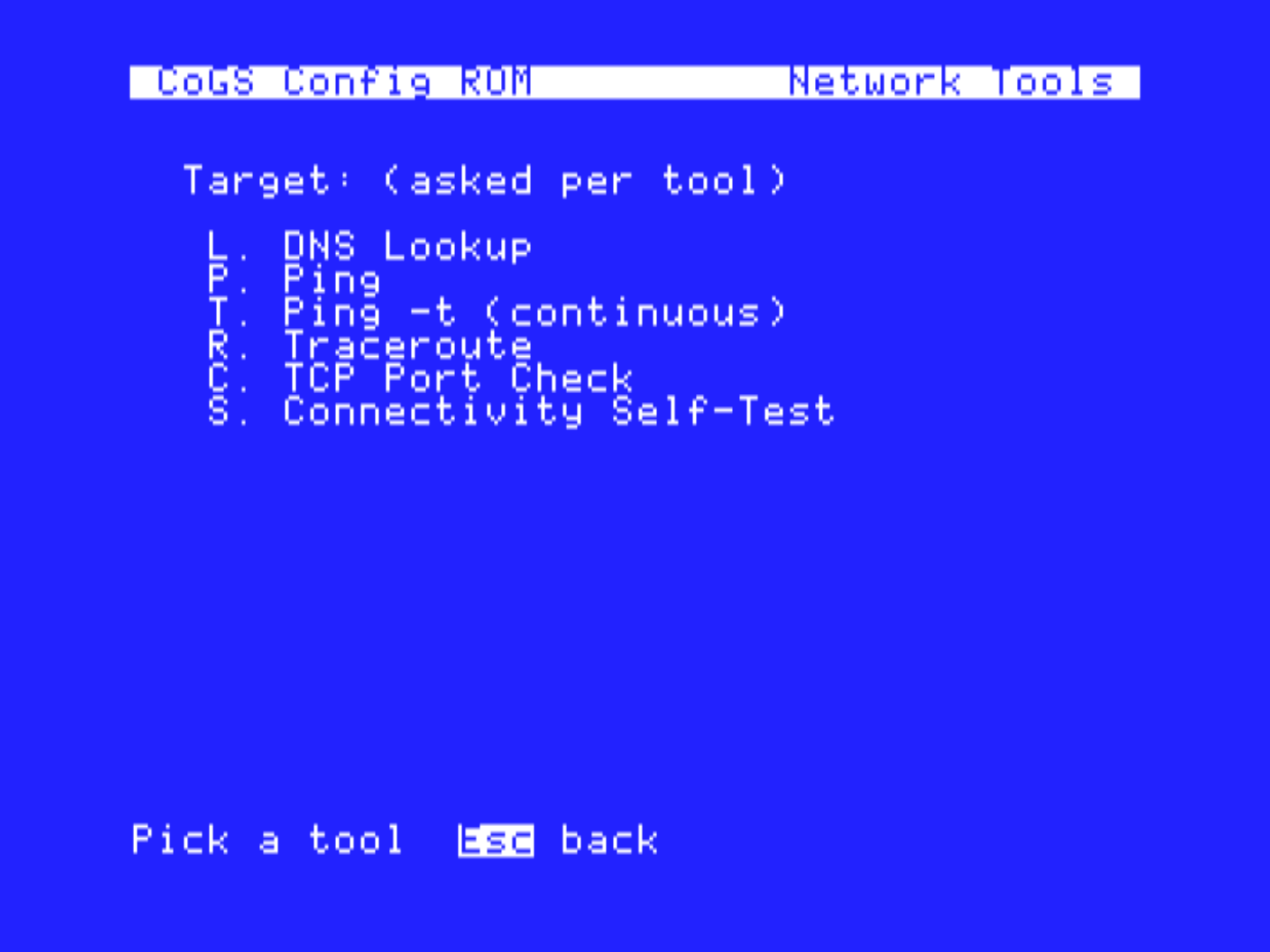
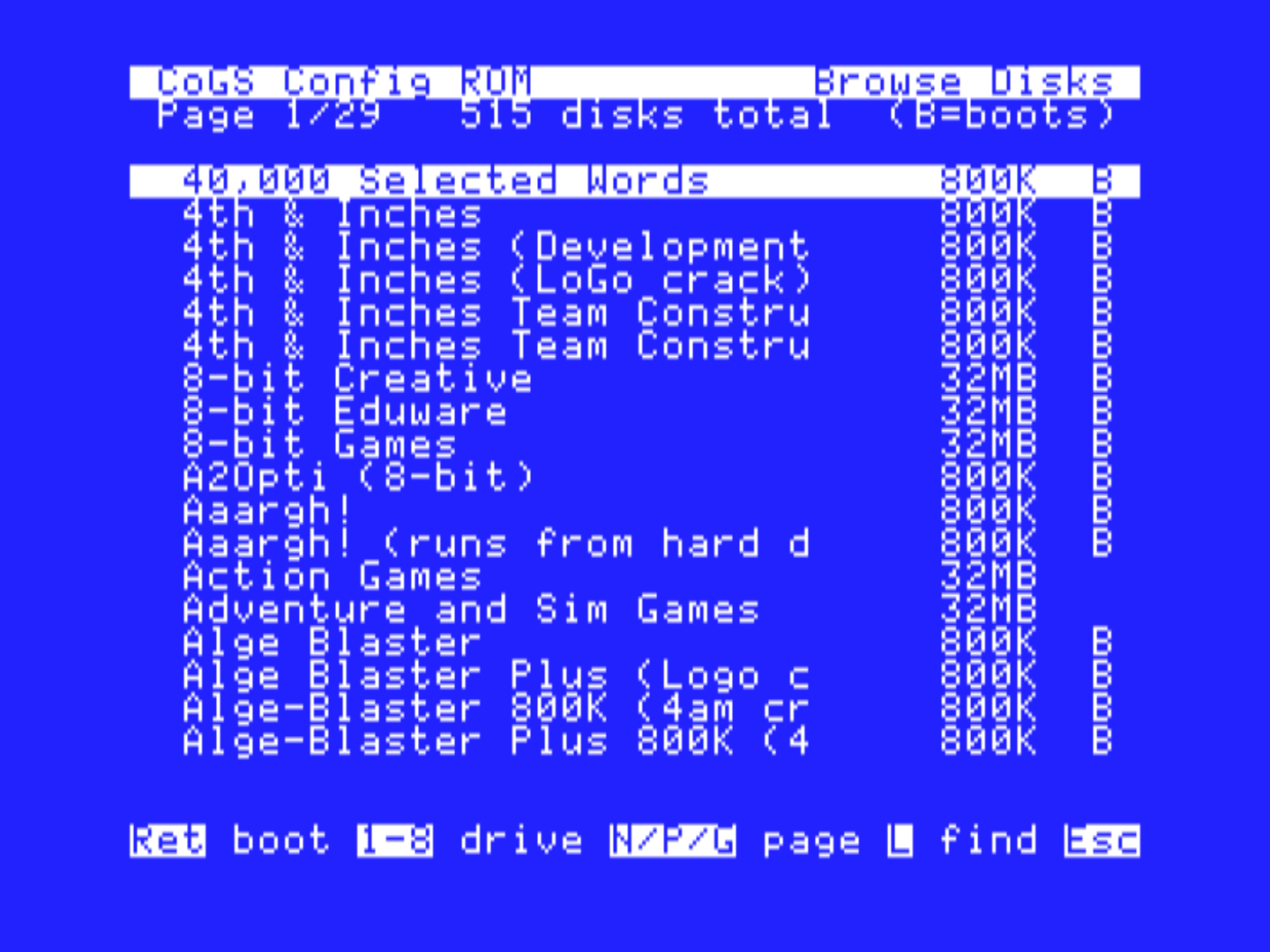
No OS, no boot disk, no setup software. The card carries its own config ROM: power the machine on and it comes up in a menu where you join Wi-Fi, check the network, browse the disk index, and pick what to boot. Everything in these screens is running from the card's ROM on a machine with empty drive bays.
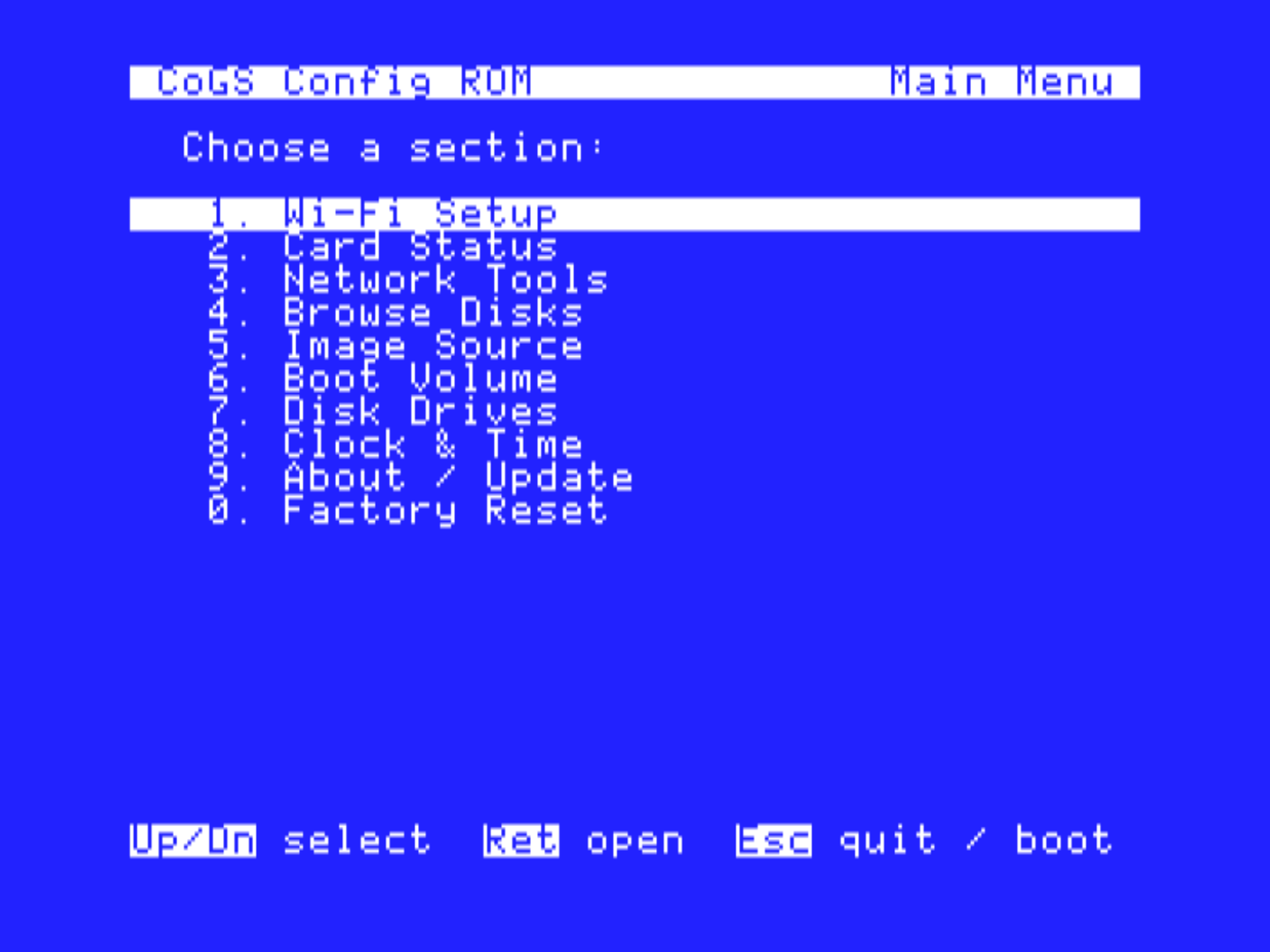
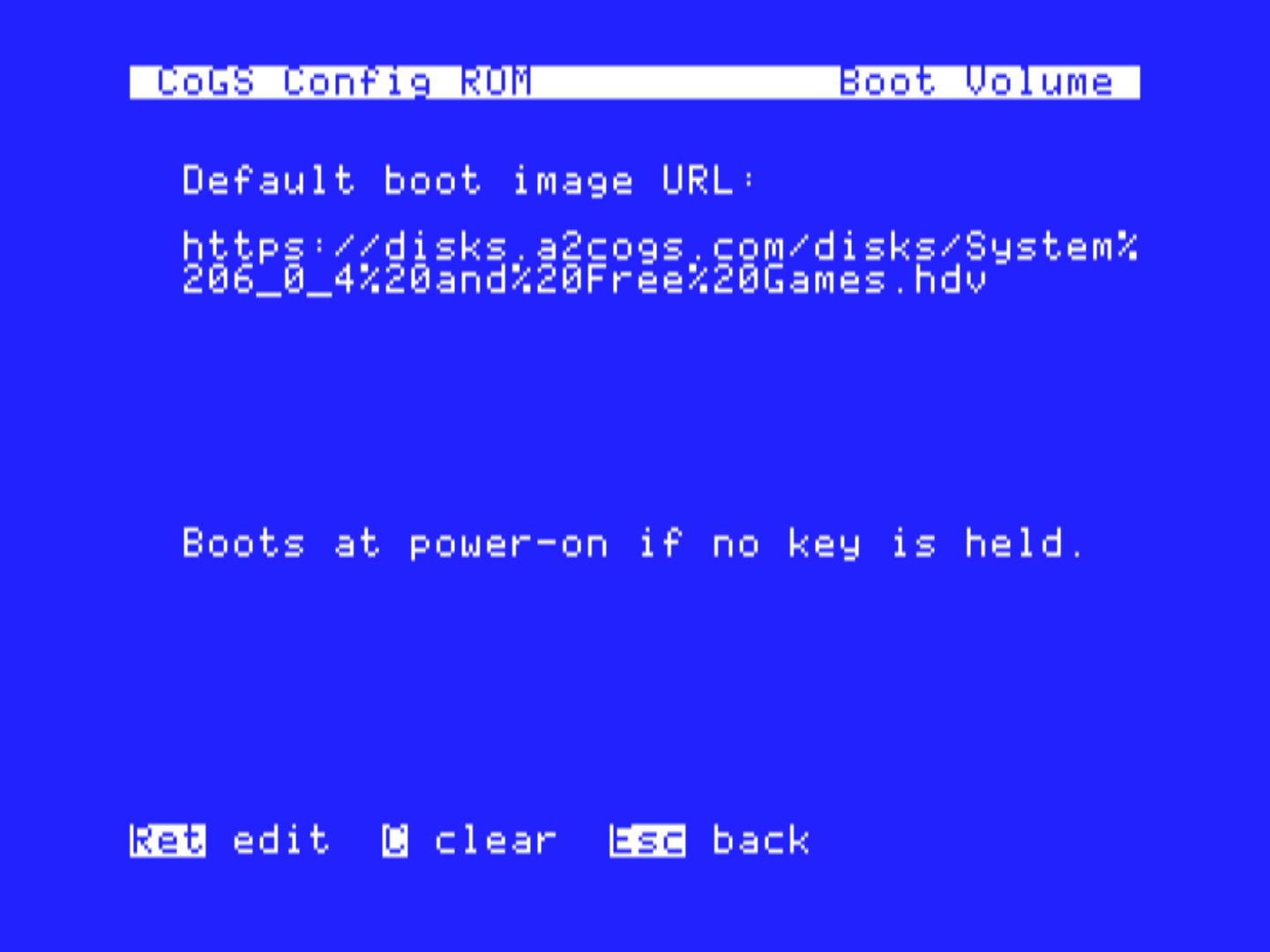
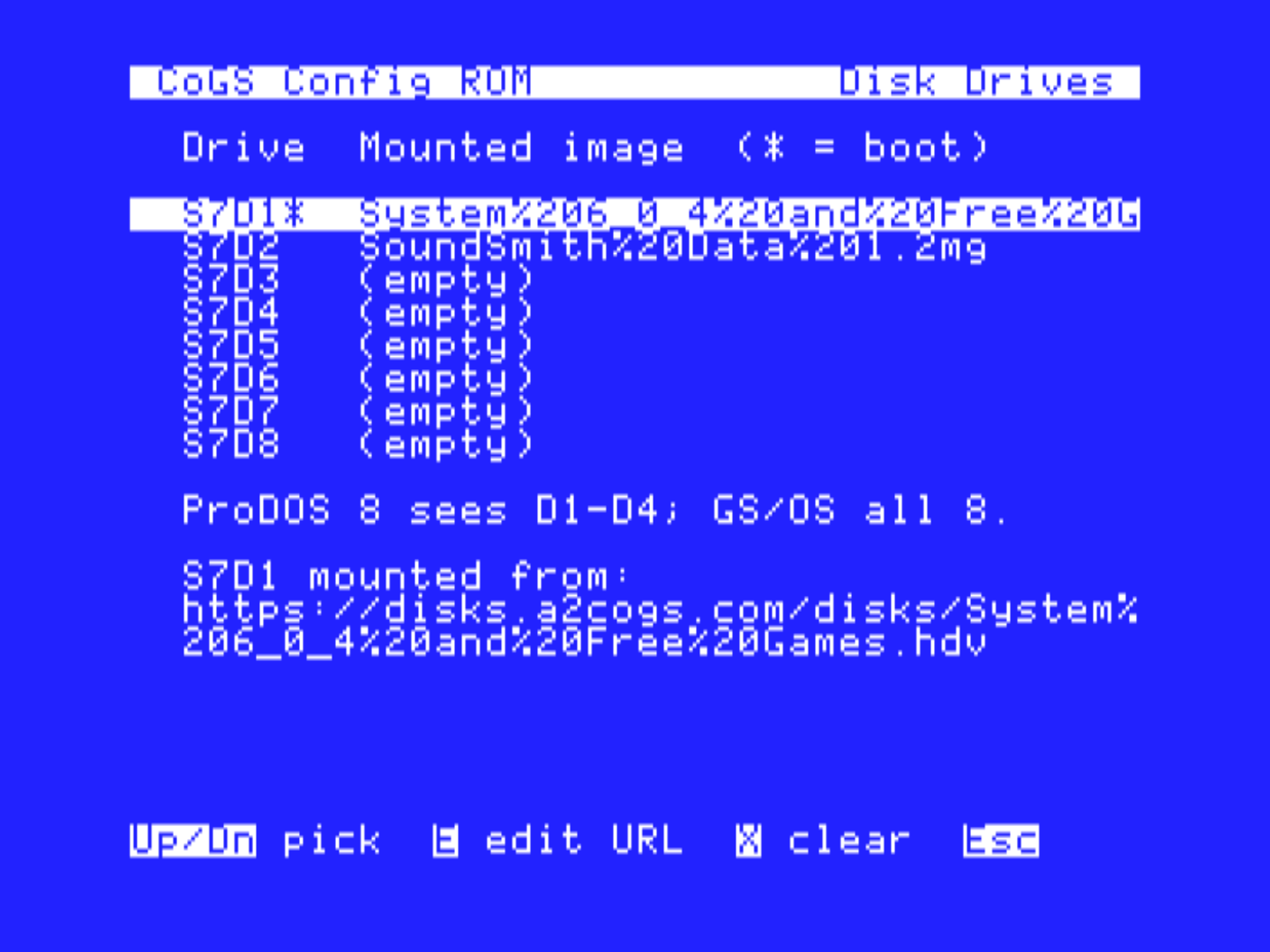
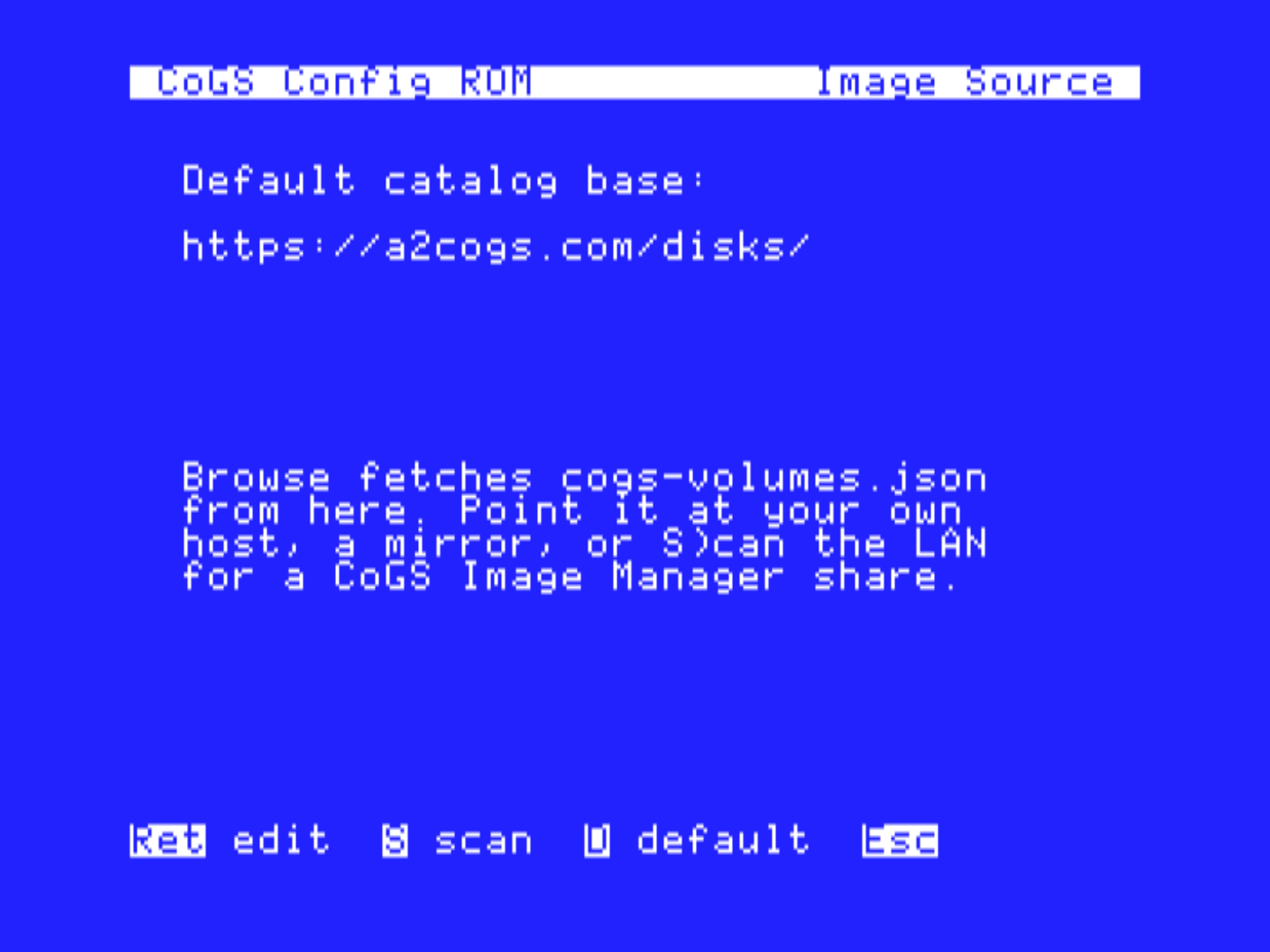
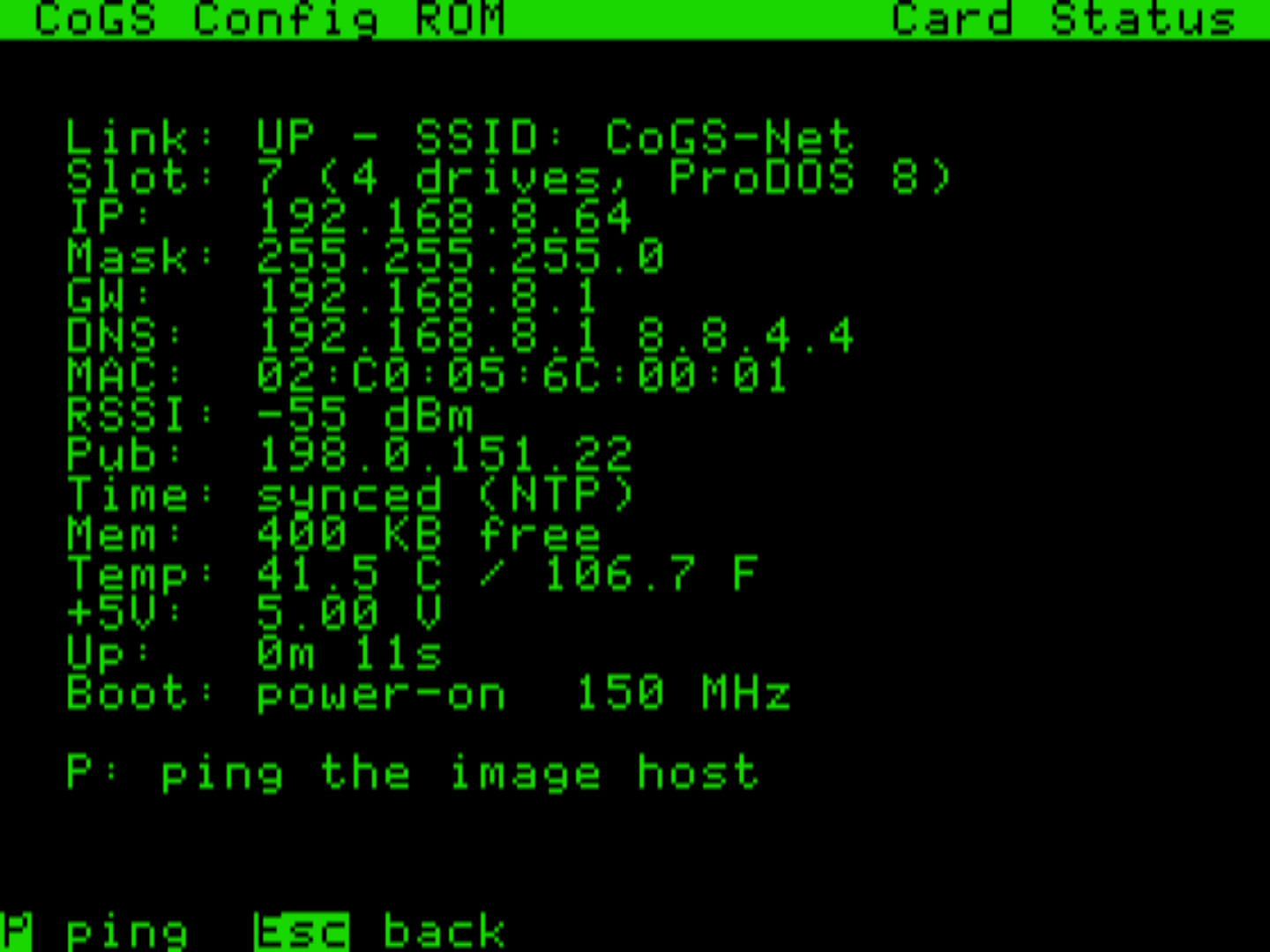
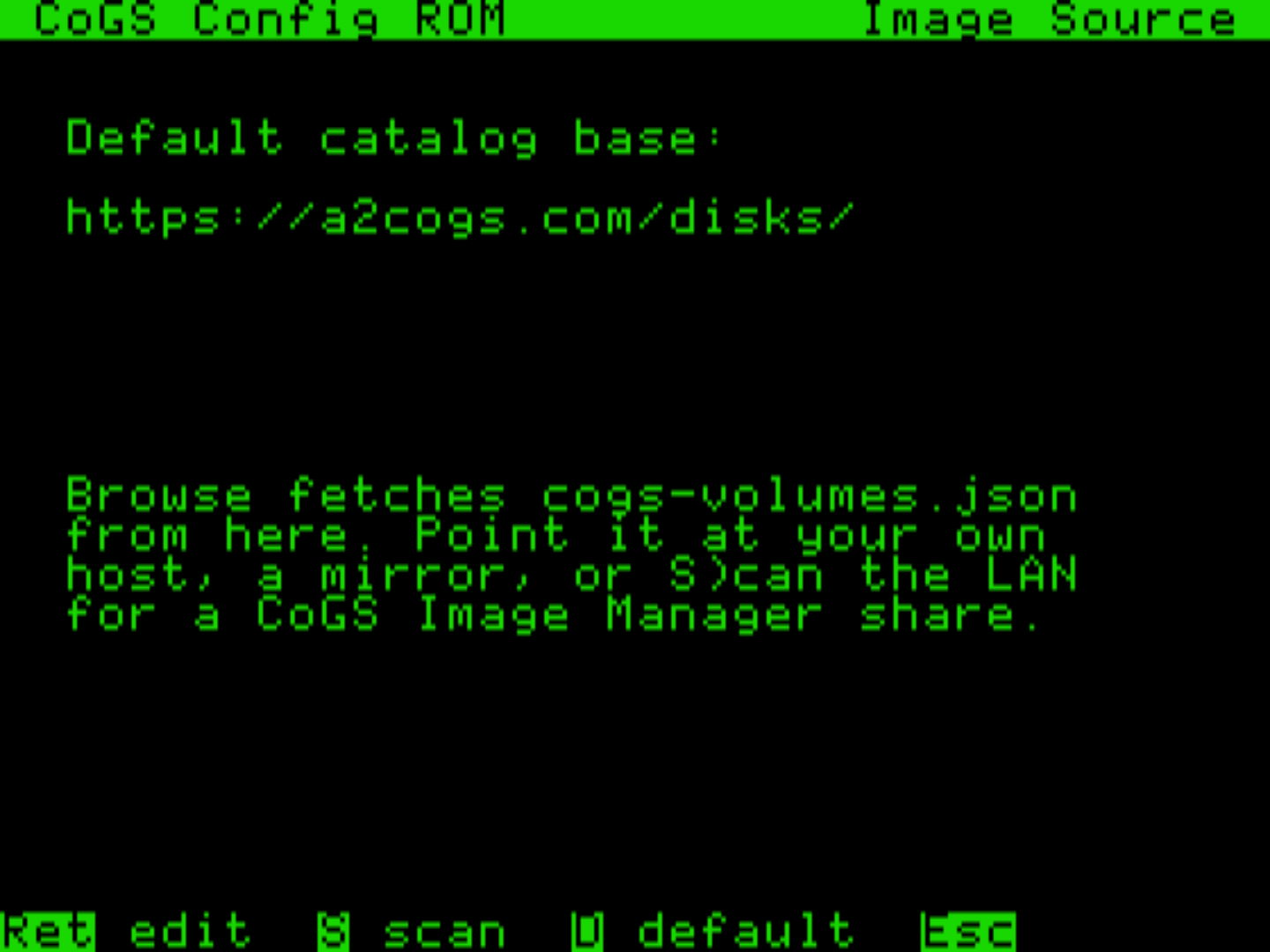
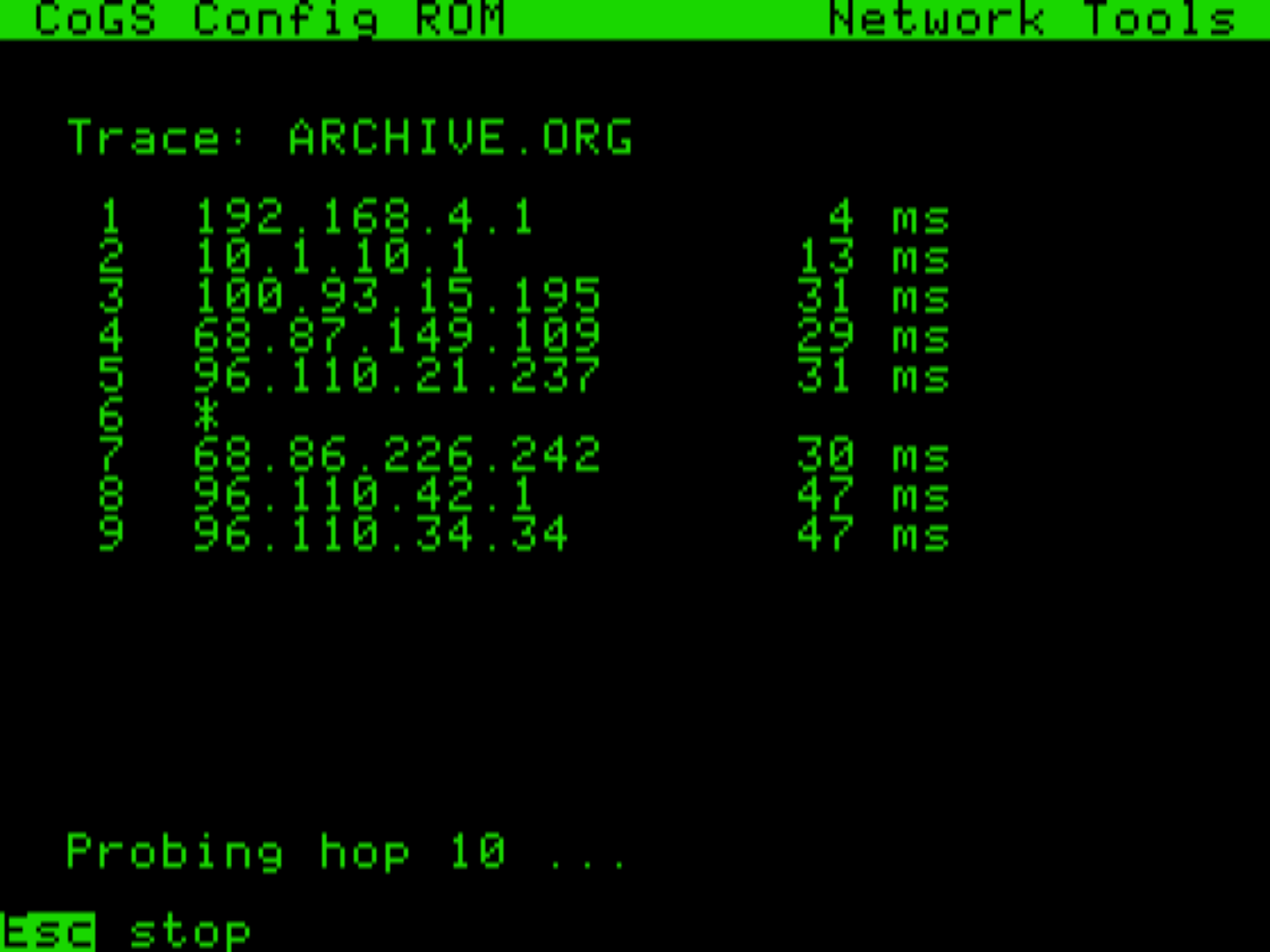
The card looks after itself, and shows its work on the Apple's own screen. Network Tools in the ROM run DNS lookup, ping, traceroute, TCP port checks, and a one-key connectivity self-test, all executed on the card. And About / Update fetches the release list from a2cogs.com so the card can download, verify, and flash new firmware right from the machine. No cable, no other computer, ever.
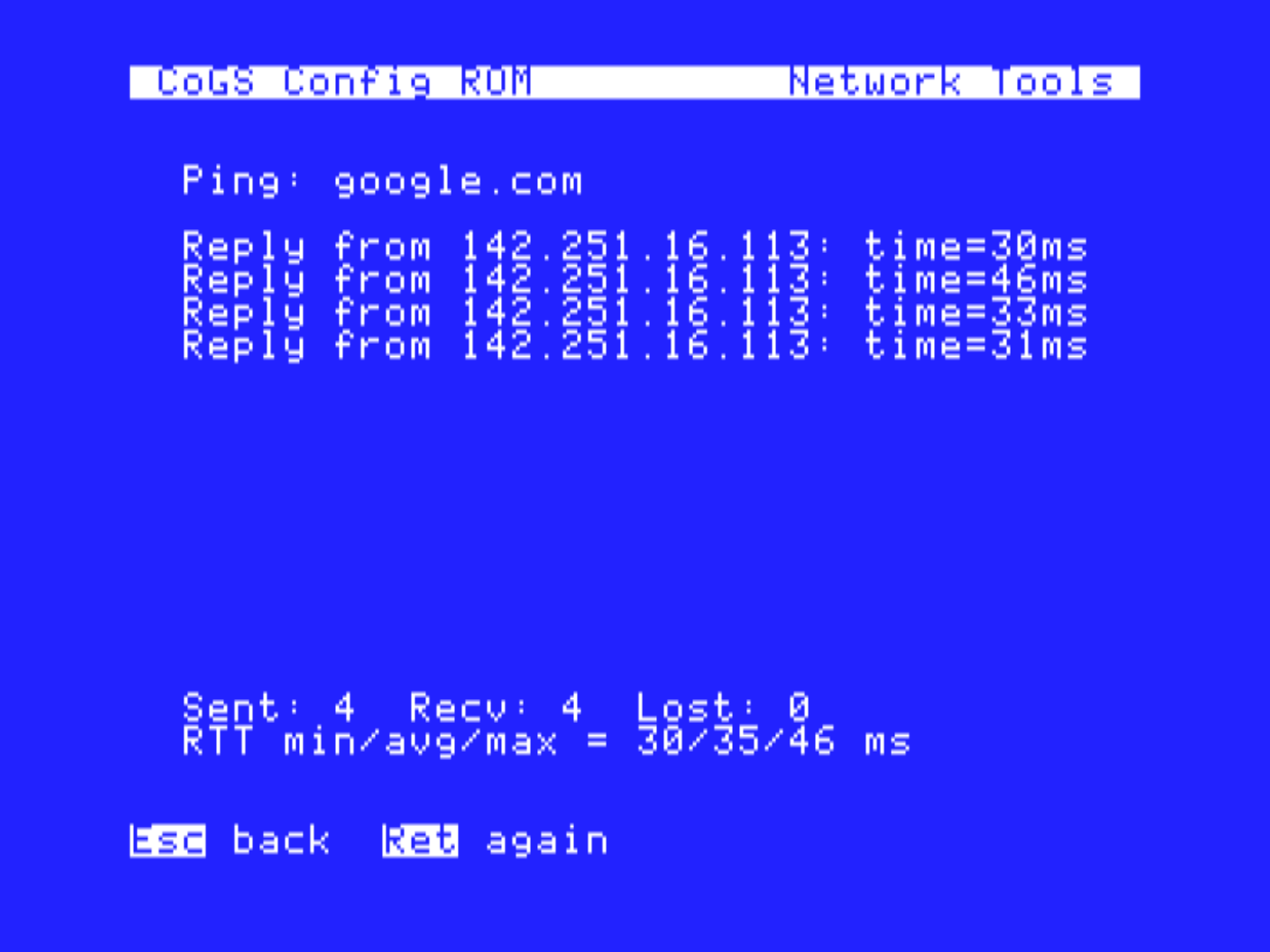
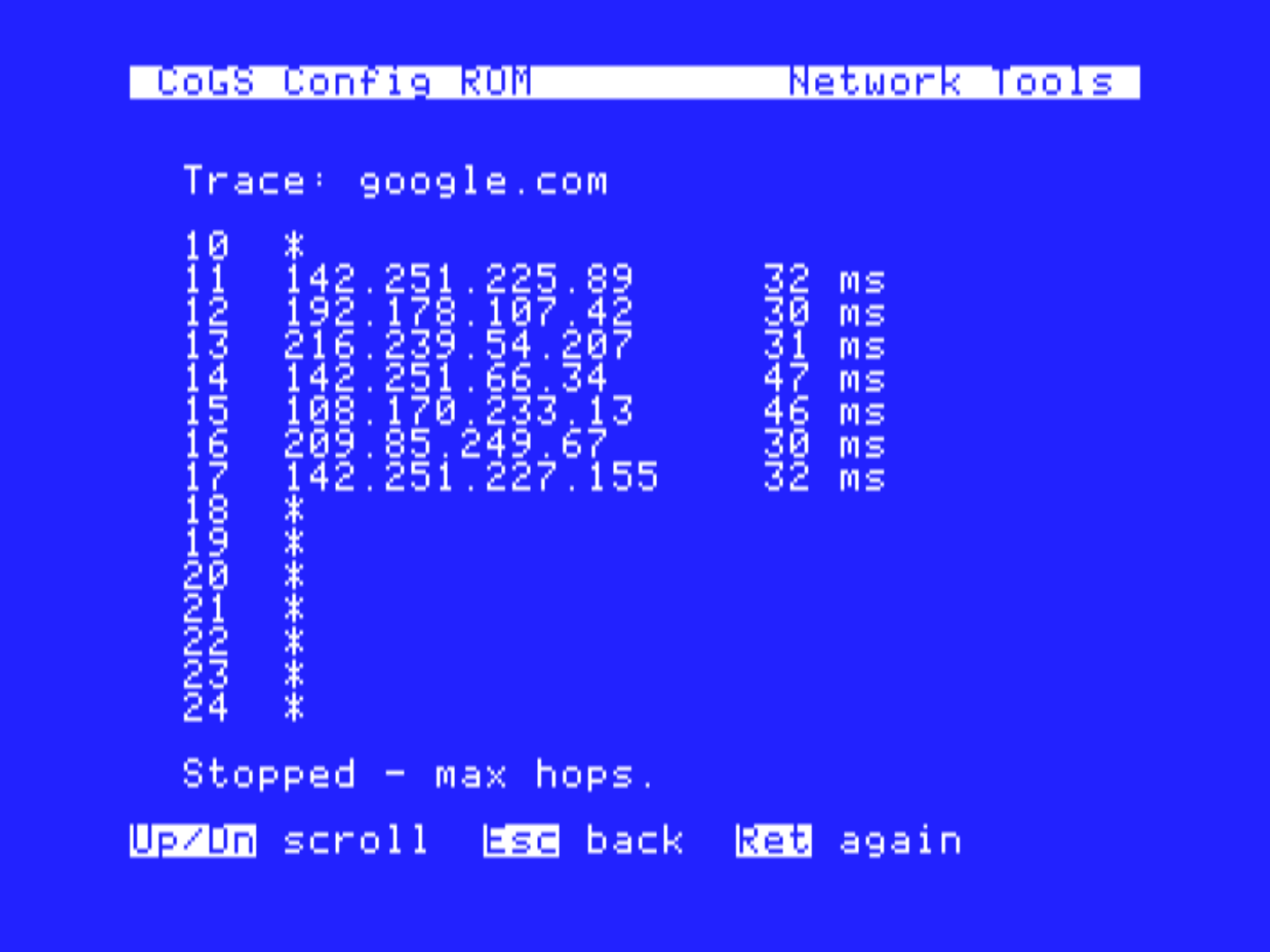
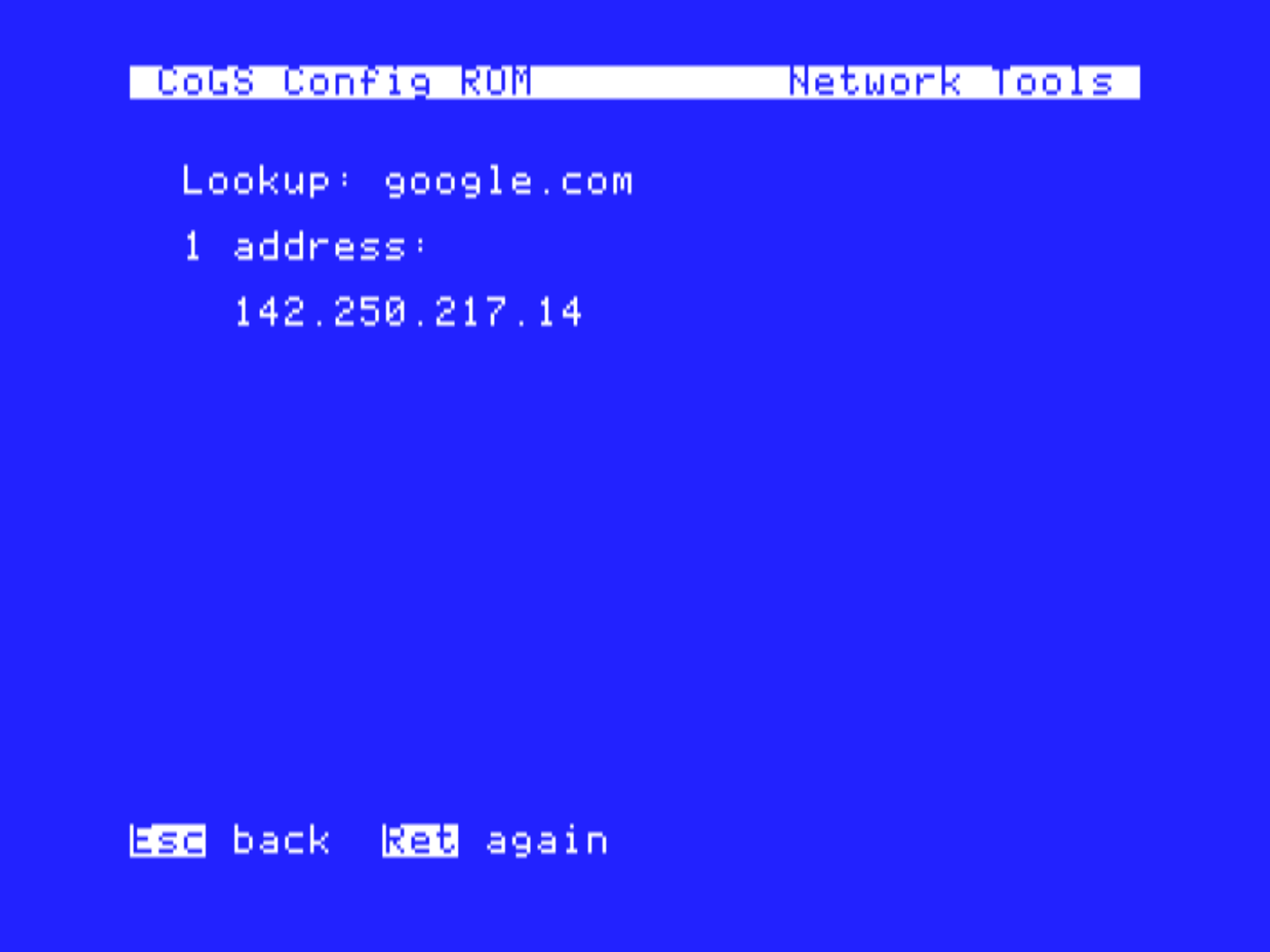
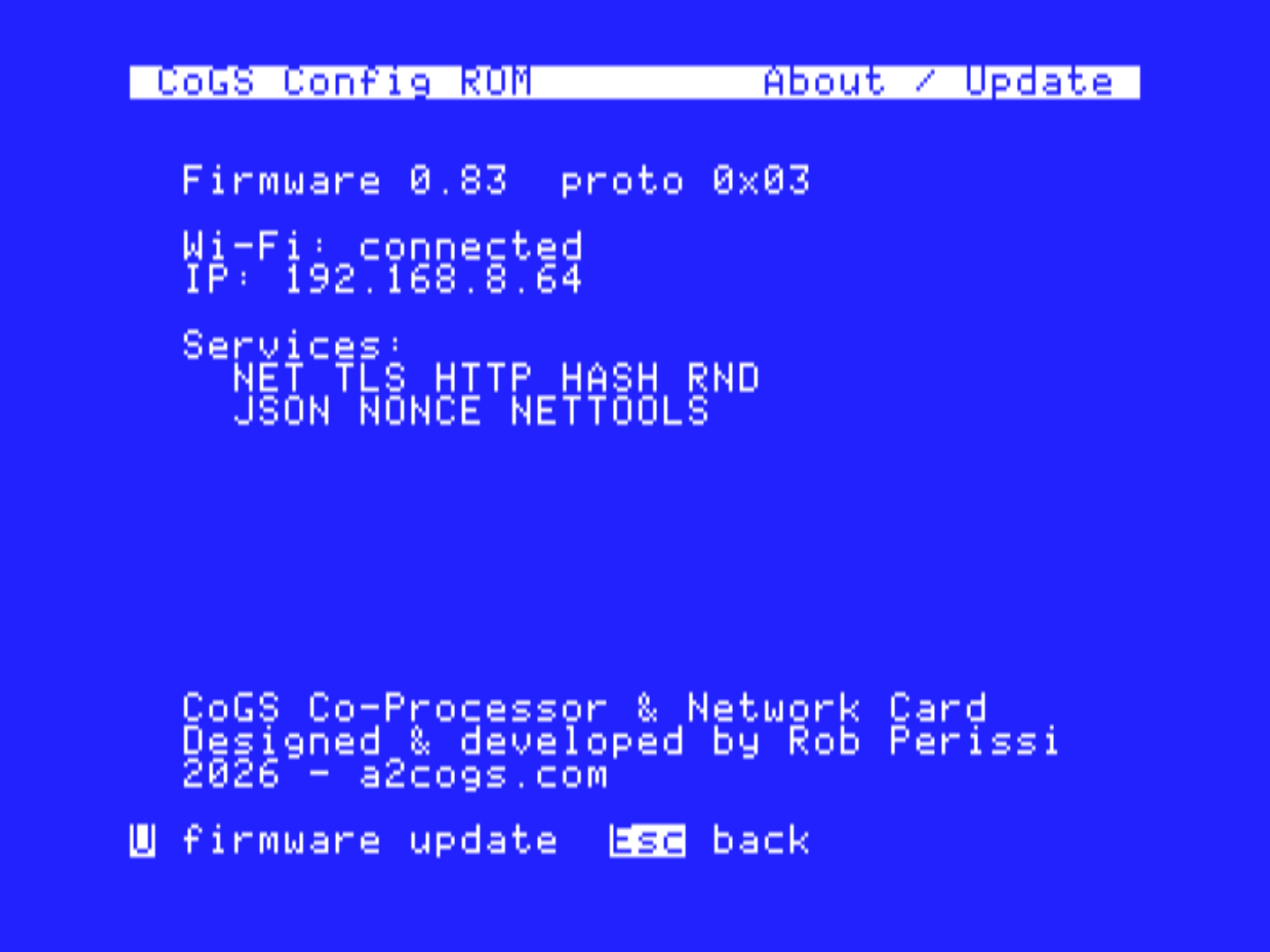
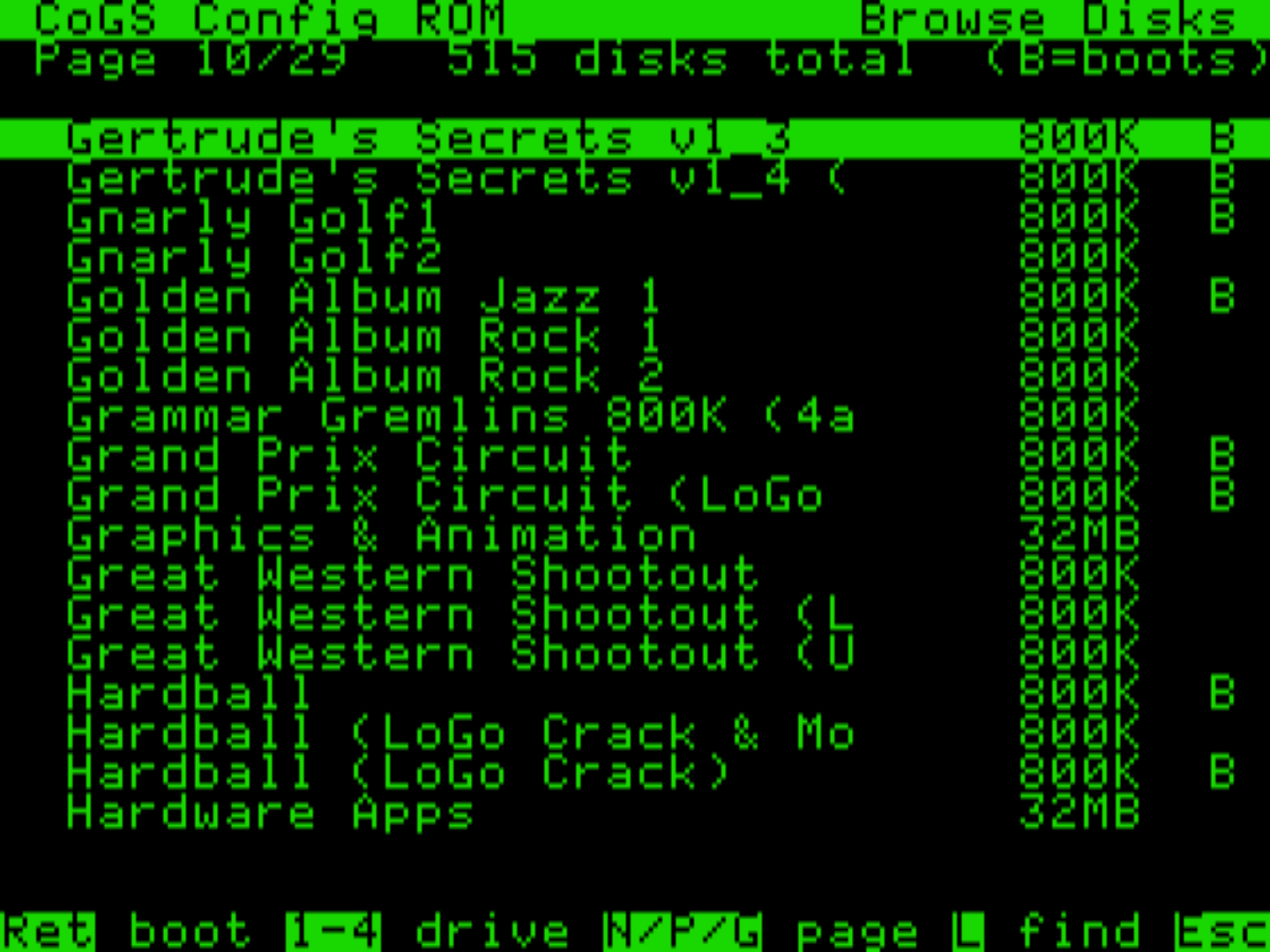
The card ships pointed at the index at a2cogs.com: 515 disk images, every one boot-tested, searchable and mountable right from the machine. The GS side is built on the collection curated at What is the Apple IIGS?, credited on every entry. Total Replay streams directly from its own GitHub release, so its 400+ 8-bit titles ride along, always the latest version. Don't take our word for it: browse the live index in the card's own interface, right in your browser, same keys and all.
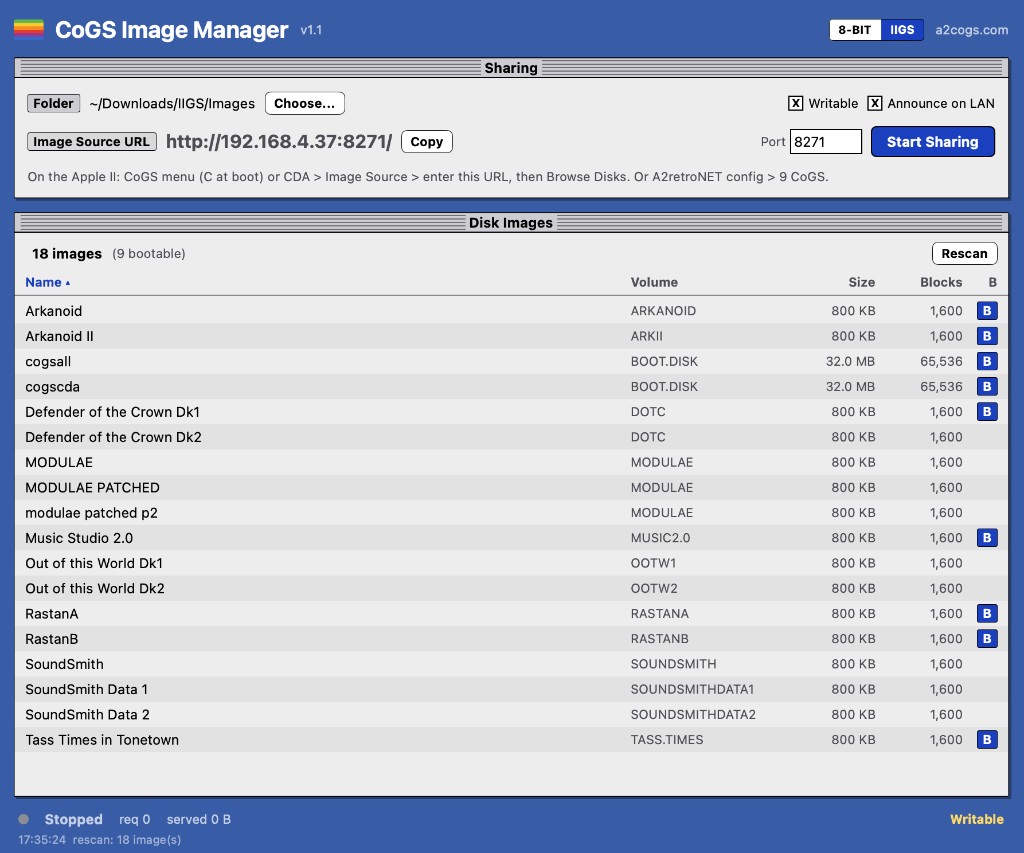
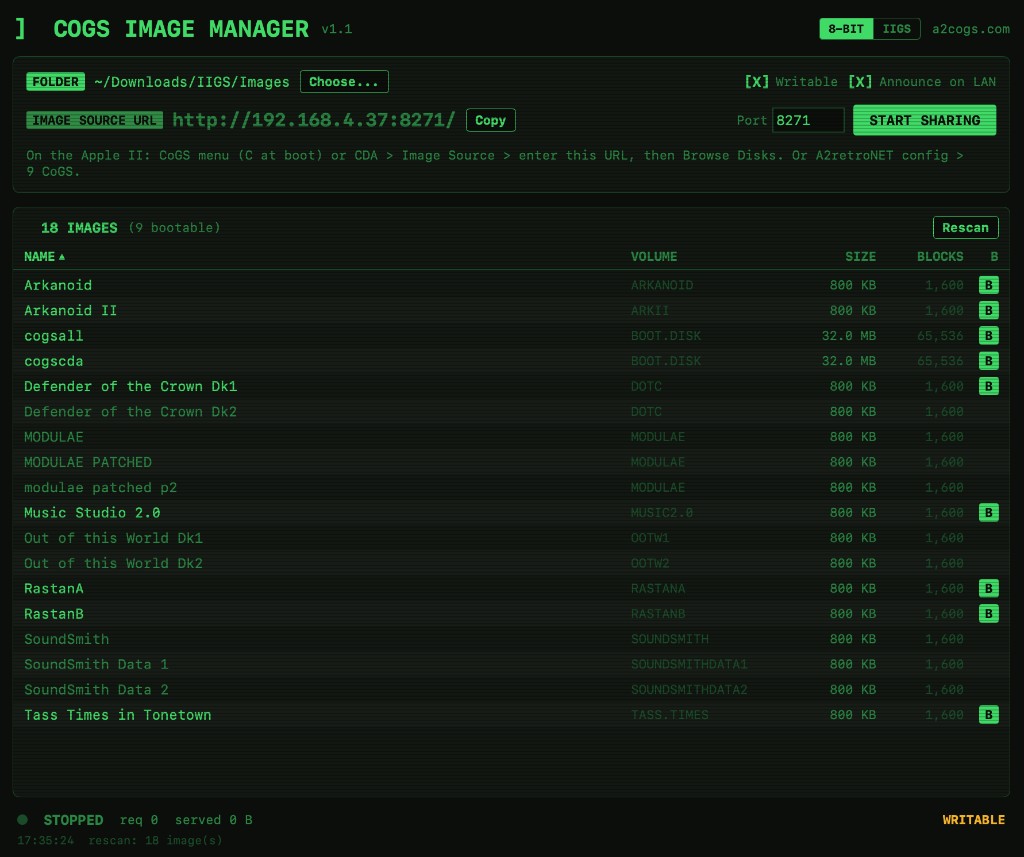
Your own images work the same way. Run the CoGS Image Manager on a Mac (Windows planned), point it at a folder of .po / .hdv / .2mg images, and click Start Sharing. Every CoGS card on the LAN can then scan for the share from the Image Source page and browse it like the a2cogs catalog: bootable tags from real boot-block probing, search, and full read/write, so your Apple II saves straight back to the folder on your desktop. No more shuffling floppies or transfer utilities; just keep a folder.
What it unlocks
With a secure link to the modern web and a co-processor on board, the question stops being “can it?” and starts being “what will you build?” A couple of these are ours to finish; the rest are possibilities, most of them yours to write.
GS-LLM, our streaming LLM chat client, plus room for an AI dungeon master for text adventures, on-the-fly translation, or a button that summarizes any web page to the screen.
Weather, stock tickers, sports scores, headlines, transit times — pulled fresh from real APIs into a desk accessory.
Email over genuine TLS, IRC and chat bridges, a Mastodon client, an RSS reader. The GS back on the live network.
GS-Miner, our Bitcoin miner getting the hardware nonce scanner, plus hashing utilities and a password vault seeded by true randomness.
Pull files and updates from a web server or GitHub, back up to the cloud, and mount or boot fresh disk images straight off the network — no copying to local storage first.
Post high scores to an online leaderboard, turn-based multiplayer, daily shared puzzles delivered over the wire.
TOTP two-factor codes (the card keeps real time), signed requests, and downloads that are certificate-checked on the card.
It is a slot card with an HTTPS pipe and a toolbox. This community has always done the rest. Possibilities are endless.
For developers
CoGS is not a black box. The building blocks are open: a documented protocol that runs over the slot, plus client code so your program can open a connection, fetch over HTTPS, hash data, or pull true randomness in a few calls. Call it an API if you like, but the point is the opposite of a cloud service you rent. The card is right there in the machine, and it is yours.
Develop without the hardware. A virtual CoGS card runs inside the Ample emulator (and MAME), so you can write and test apps with no card on your desk. It links the same firmware core the real card runs, with live networking through your Mac (DNS, TCP, HTTP, JSON) and a LAN bridge so Marinetti and IP65 software reach the real network. One command sets it up, and the same binary then runs on real hardware. TLS and HTTPS happen on the card’s crypto, so in the emulator use plain HTTP or a local TLS proxy.
A mark we want to offer for software built to use the card, so apps that light up your Apple II with modern powers are easy to spot. The seed of a full suite of modern Apple II software, written by the community, running on the machine itself.
The constraint
We mean it as an engineering constraint, not a slogan.
CoGS refuses to become the brain. It would be easy, and wrong, to build a card that runs the program on its own fast processor and hands the Apple II a finished picture. That is not an Apple II anymore. That is a modern computer in a beige case.
CoGS is a co-processor. It does only the work the machine genuinely cannot: it terminates TLS, it hashes, it makes true randomness, it walks JSON, it grinds nonces. In every case the Apple II decides what to ask for, runs the program, and owns the screen and the user. The card is a tool on the bench, not a hand on the wheel.
The story
It began with building things for these machines: a Bitcoin miner, then a modern LLM chat client for the Apple IIGS. Each one ran into the same wall: the modern internet's cryptography simply can't run on a 1 MHz 6502 or a 2.8 MHz 65816. There are already good answers to that. Some run the real program on another computer and leave the Apple as a terminal. Others, like the excellent FujiNet, put a dedicated device on the disk port that has been terminating TLS for vintage machines for years, with the Apple still running the show. Offloading the hard cryptography is the right idea, and CoGS stands squarely on that prior art. What I wanted was a different shape for it: not a helper beside the machine but a true card inside a slot — bus-native, mapped right into the machine so the program can call it in a few register writes. The Apple still owns the program, the screen, and every decision. The card just does the parts the silicon of 1986 never could.
What made it feasible was modern tooling. Designing the protocol, writing the firmware, and bringing up the clients with AI-assisted development in Cursor turned what would once have been years into an iterative, almost playful loop — sketch an idea in the morning, have it answering on real silicon by the afternoon. That speed is the point: it unlocks the imagination to actually ship working software for a forty-year-old computer.
So much of the hard groundwork was already laid by this community — the bus interface, the TCP/IP stacks, the toolchains — that the next step felt obvious: build one card that drops into any slotted Apple, with a whole suite of capability on board, to empower the next wave of software and keep our favorite computers alive long into the 21st century (and beyond).
Built on shoulders
The open bus-interface platform: concept by Glenn Jones and Oliver Schmidt, firmware by Oliver Schmidt, hardware by Ralle Palaveev — the genuinely hard part of meeting Apple II slot timing. CoGS builds directly on it.
Has terminated TLS and served HTTPS and JSON on vintage machines for years over the SmartPort bus. Its JSON device directly inspired JSON_GET, and the same A2Pico carrier CoGS builds on can host FujiNet too with softSP. Prior art we respect, and partly share a platform with.
Marinetti, ORCA/C, and Golden Gate keep the IIGS programmable in 2026. CoGS bridges into the Marinetti ecosystem so existing software just works.
The curated IIGS disk-image collection the a2cogs index is built on. The definitive GS library, curated by Alex Lee since 1996, rebuilt and rehosted at whatisthe2gs.com.
The 8-bit arcade collection the card streams directly from its own GitHub release, always the latest version.
It runs today on a Raspberry Pi Pico 2 W fitted to an open A2Pico carrier. The protocol lives in a written spec that the firmware follows — now including the SmartPort/ProDOS block layer for network disks — with docs that walk through how it all works. Source, spec, and clients go up on GitHub at launch, with prebuilt firmware and the bootable GS disk on the releases page.
cd firmware && cmake -B build -G Ninja \
  -DPICO_BOARD=pico2_w -DCMAKE_BUILD_TYPE=Release
cmake --build build # -> cogs.uf2How can I get one?
CoGS runs on parts you can already get: an open A2Pico carrier (the proven Apple II slot card) with a Raspberry Pi Pico 2 W on it for Wi-Fi. The purpose-built CoGS card, with extras like wired Ethernet, is coming soon.
The board
The software
A2Pico Multi-Function Card Available at JCM Firmware Download cogs.uf2 · coming soon Raspberry Pi Pico 2 W to add WiFi capability Bootable GS disk cogsall.2mg · desk faces + Marinetti · coming soon CoGS Card purpose-built · coming soon USB Mac Bridge (prototype) no-radio Lite / A2Pico · firmware 0.90Note: A2Pico boards come with a Pico W. You'll need to desolder and solder on a Pico 2 W for Wi-Fi.
Open source: the firmware, spec, GS software, and downloads go public at launch. You only ever flash once; after that the card can flash future firmware updates directly from CoGS Config on the Apple (and over the air from a2cogs.com).
Want to know when the CoGS card is available or have any questions?